Allworx Verge IP Phone Series User Guide
866.ALLWORX * +1 585 421 3850 Page 33
www.allworx.com
Version: T Revised: February 14, 2019
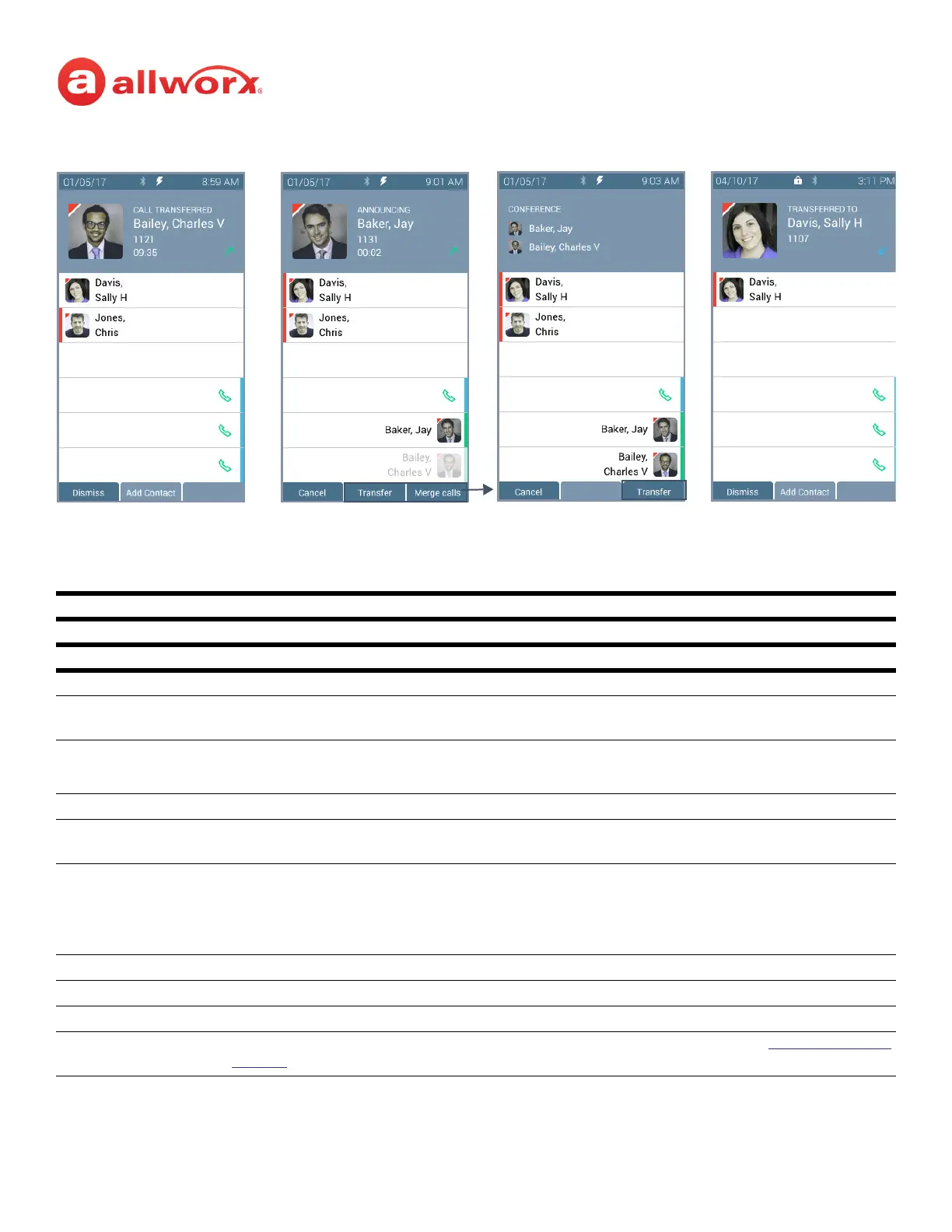
Call Transfer Function Button LED
solid red transfer process initiated.
Soft Keys Available
Cancel stop the transfer and reconnects the call. No further action.
To VM send the incoming call directly to voicemail (only available for: Call Appearance, Intercom, and
ACD Appearance).
Attended immediately places a call to the intended recipient.
NOTE: an Attended transfer requires an unused Call Appearance.
Back return to the starting Call Transfer screen. Available on the Call Transfer Option: To VM.
Calls open the Call History screen to select a recipient of the transfer. Available on the Call Transfer
Option: To VM.
Redial Calls the last-dialed outbound call placed from the phone, the Interact application, or the Reach
Remote Control application. Unless the Line Appearance(s) Use of Dial Plan phone option is
enabled, the system only redials Call Appearance-dialed calls.
NOTE: The Verge 9304 IP phone does not support the Reach Remote Control feature.
Transfer complete the call transfer action.
Merge Calls joins the original caller, Allworx user, and the intended recipient on a temporary conference call.
Dismiss clears the screen of the transfer completed message. Available when transfer is complete.
Add Contact open Add Contact screen (available for original callers not in the Contacts). See “Add Contact” on
page 49 for more information.
Blind Transfer Attended Transfer Merge Calls
Press Transfer to complete the call
transfer.
Press Merge Calls for
a temporary
conference call
Call transferred when user
hangs up.
Press Transfer to complete the
transfer and leave the call.
After a successful transfer, the
screen confirms the transfer
recipient.



 To Next Page