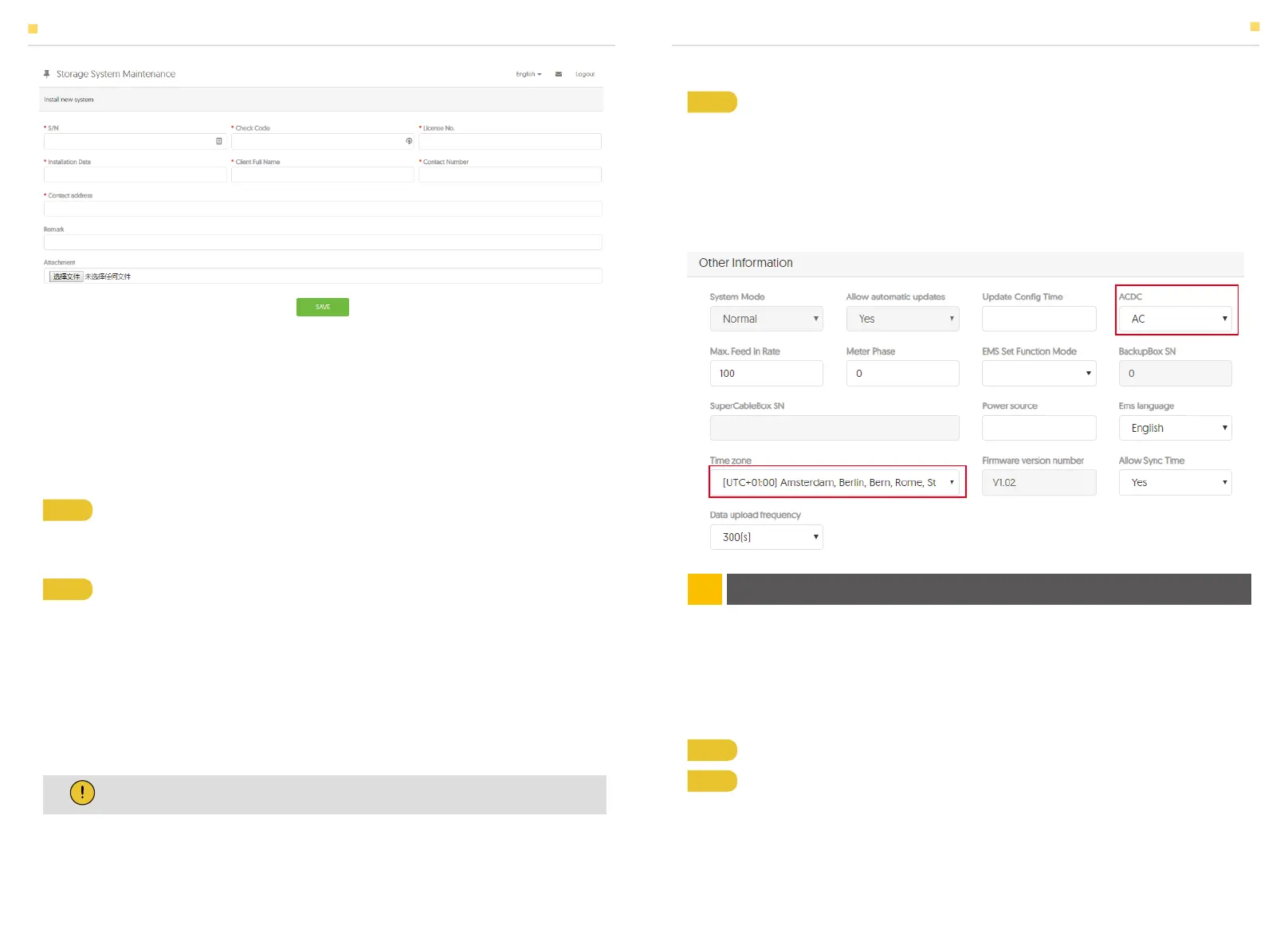
Enter the system S/N, check code, license, installation date, client name, contact
number, contact address, and click the save button. The red * in front of it is required.
Click the Browse button to select the attachment you want to add.
The system settings of the Storion-SMILE-T10 can be also carried in the installer
monitoring. To do this, follow the steps below:
You can create a new account on our webserver for the normal monitoring. In addition,
a part of our warranty is based on this connection to our webserver.
The data produced prior to registration can be synchronized to the webserver.
Please use the following steps:
Step 1 Please login in the installer account, click the list of storage systems and
enter the SN.
Step 1 Open the portal: www.alphaess.com.
Step 2 Please fill in “Username”, “Password” and click “Login” if you have already
registered.
If not, please register by filling in the following web form.
Step 2 After selecting the correct system, enter System Setup interface. Enter in
the "Basic Information" and enter below information:
- Address,
- Zip code,
- Contact name,
- E-Mail address,
- Currencies and
- Telephone number.
Step 3 Finally, select the "Other Information" submenu and set the following
parameter:
- ACDC mode: it should be set
- Time zone
- max. feed-in rate: In some countries you must set the max. feed-in rate in %
according to the relevant regulation.
5.1 System Setup in Monitoring
6.1 Account Registration
5.1.1 Basic Information
5.1.2 Other Information
ON-LINE MONITORING06
SYSTEM REGISTRATION ON-LINE MONITORING
Note: Do not forget to click “Save” button!
39 40


 To Next Page