EasyManua.ls Logo

Alpha Moisture Systems dewTEC DS2000 - User Manual

Alpha Moisture Systems dewTEC DS2000
29 pages
Print Icon
To Next Page IconTo Next Page
Loading...
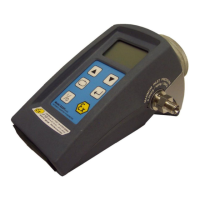
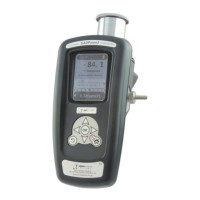
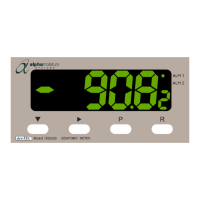
dewTEC
DS2000
dewpoint meter
alpha moisture systems
alpha house, 96 city road
bradford, BD8 8ES
england
Tel: +44 1274 733100
Fax: +44 1274 733200
Email: info@amsystems.co.uk
Web: www.amsystems.co.uk
instruction manual

Questions and Answers

Alpha Moisture Systems dewTEC DS2000 Specifications

General IconGeneral
BrandAlpha Moisture Systems
ModeldewTEC DS2000
CategoryMeasuring Instruments
LanguageEnglish

Summary

1.0 General Description & Features

1.1 Description

Detailed overview of the dewTEC DS2000 dewpoint meter and its primary sensor.

1.2 Main Features

Highlights the key functionalities and specifications of the dewpoint meter and its sensor.

2.0 Installation Instructions

2.1 Safety Information

Crucial safety precautions and warnings for qualified personnel before installing the instrument.

2.2 Unpacking your dewTEC DS2000 Dewpoint Meter and Sensor

Guidance on inspecting items for damage upon unpacking and handling the sensor carefully.

2.3 Sensor Care

Instructions for handling the moisture sensor to prevent damage and maintain its integrity.

2.4 Installing the air;gas sampling system

Details on setting up the piping and ensuring sample gas quality to prevent sensor contamination.

2.5 Installing and commissioning the sensor

Procedure for installing the sensor into the sample loop and initial commissioning steps.

2.6 Installing your dewTEC DS2000 Hygrometer

2.6.1 Panel mounting cut out

Specifications for the panel cut-out dimensions required for mounting the hygrometer.

2.6.2 Panel mounting

Steps for physically mounting the hygrometer onto a control panel using provided hardware.

2.7 Electrical interface connections

2.7.1 Mains (line) supply

Details on connecting the hygrometer to the AC mains power supply, including fuse recommendations.

2.7.2 Sensor Connection

Information on connecting the moisture sensor using a low impedance coaxial cable.

2.7.3 Alarm Relay Outputs

Description of the single pole double throw relay contacts for Alarm 1 and Alarm 2.

2.7.4 Linear (Analogue re-transmission) Output

Details on the 10-bit analogue signal output for re-transmitting dewpoint values.

2.7.5 Alarm Transistor Open Collector Outputs

Explanation of the NPN open collector outputs for Alarm 1 and Alarm 2.

2.7.6 Serial Communications Output

Instructions for connecting the RS485 serial communications port for data transfer.

2.7.7 External Autocal Control

Guide on connecting an external potentiometer for remote control of the autocalibration setting.

3.0 Operating Instructions

3.1 Start Up

Procedure for powering up the unit and understanding the initial display and warm-up time.

3.2 Front Panel Display and Keys

Description of the front panel display elements, LEDs, and function keys for operation.

3.3 Viewing Operating Mode Parameters

Flow diagram illustrating how to view various operational parameters like Dewpoint, Max/Min values, and alarm settings.

3.4 Setting the Alarms and hysterisis

3.5 Hysterisis Operation

3.6 Resetting a latched Alarm

Procedure for resetting a latched alarm condition by pressing the reset key (R).

4.0 Hygrometer Settings

4.1 Sensor Calibration (AUTOCAL)

Explanation of the Autocal feature and steps for calibrating the sensor on-site.

4.2 Programmed Settings

4.2.1 Program Mode

Details on entering and using Program Mode to adjust calibration data, scaling, and other settings.

4.2.2 Configuration Mode

Instructions for entering and using Configuration Mode to set alarm types, output directions, and enable/disable features.

5.0 Serial Communications

5.1 Data Format;Baud Rate

Specifies the data format (10-bit word) and supported baud rates for RS485 communication.

5.2 Protocol

Defines the communication protocol where the hygrometer acts as a slave device.

5.3 Message Format

Describes the structure of messages exchanged, including acknowledgements and message forms.

5.3.1 Message Form 1

Format for master device messages to check instrument address and expected replies.

5.3.2 Message Form 2

Format for parameter read operations, specifying identifiers and data retrieval.

5.4 Error Conditions

Information on how the system handles syntax or parity errors and invalid parameter requests.

6.0 Maintenance and Troubleshooting

6.1 Maintenance

Guidance on cleaning the front panel and sensor, and a warning against opening the unit.

6.2 Problem Guide

A troubleshooting guide listing common problems, their causes, and recommended solutions.

Appendices A - Product Specification

Appendix B - General Arrangement

Related product manuals