Alpha Radio Products
Product Release 1
3
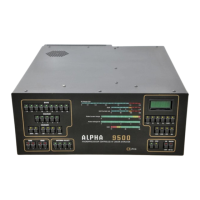
DOCNUMBER 9500
Document Issue 1, Revision 7
June 2009 Page 3–1
3
Installation Overview
3.1 Prepare Your Station 3–1
3.2 Unpack the Amplifier and Transformer 3–2
3.3 Install the Transformer 3–2
3.4 Connect the Transformer 3–2
3.5 Connect the Cables 3–3
3.6 Set the Input Drive 3–3
3.7 Connect the Transceiver 3–3
This chapter provides a brief overview of the ALPHA 9500 installation
process.
Do you already have a well-designed shack and have you used an
amplifier before?
•
If YES, review the items below to ensure that you consider all the
critical items for proper installation and operation.
•
If NO, skip this chapter and follow the detailed instructions starting
in
Chapter 4, “Preparing Your Station.”
If you have installation questions, call Alpha Radio Products at 303-473-
9232.
3.1 Prepare Your Station
SEE . . . Section 4.1, “Prepare Your Station,” page 4–1
Step 1 Provide 220 VAC power.
Step 2 Provide proper airflow.
Step 3 Ready your antenna for 1500 W.
Step 4 Provide adequate RF cabling.
Step 5 Provide surge protection.


 To Next Page