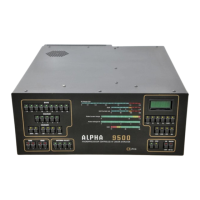
Alpha 9500 HF Linear Amplifier Operating Manual Alpha Radio Products
Operating the Amplifier from a PC Interface Product Release 1
DOCNUMBER 9500
Document Issue 1, Revision 7
Page 7–2 June 2009
77
7.1 Set Up to Operate from a PC
Procedure 7-1 Set up to operate from a PC
NOTE
•
You can also establish communications with the amplifier via any
communications program such as hyperterminal. The
communications parameters are:
— 115,200 baud
— No stop bits
— 8 data bits
— 1 parity bit
— No flow control
•
The ALPHA 9500 has both a 9-pin serial port and a USB port on
the back. Only one of these can be active at a time.
Step 1 Locate the amplifier’s USB driver (filename CDM-setup.exe) from the
ALPHA website or the CD supplied with the amplifier.
Step 2 Determine which PC COM port is assigned to the ALPHA 9500.
The amplifier is normally assigned to COM port 4 or 5. Confirm this by
checking the computer properties and going to the PC’s Device Manager
to locate the COM ports.
Step 3 Download the AR9500 PC application from the ALPHA website and
install it.
Step 4 When you first run the application, set up the correct COM port for the
application.
Step 5 When the application opens a window that shows graphically all of the
buttons and indicators that are on the front panel, verify that the
application is communicating with the amplifier by mousing over the
ON1 button and left-clicking on it.
If the amplifier does not turn on, verify that the COM port is set to the
correct number.
7.2 Operate from the PC
When the application opens, the main window and the front panel
windows are displayed.


 To Next Page