Alpha Radio Products
Product Release 1
5
DOCNUMBER 9500
Document Issue 1, Revision 7
June 2009 Page 5–1
5
Setting Up the Amplifier
5.1 Unpack the Amplifier and Transformer 5–1
5.2 Install the Transformer 5–3
5.3 Connect the Transformer 5–4
5.4 Connect the Cables 5–7
5.5 Set the Input Drive 5–10
5.6 Connect the Transceiver 5–10
IMPORTANT The ALPHA 9500 is extremely easy to set up, tune, operate, and
maintain. However, failure to carry out each procedure exactly as
described in this manual is likely to lead to amplifier damage, which
is not covered under warranty. Damage to other station equipment
may also result.
Proceed slowly throughout these procedures to avoid bumping and
damaging adjacent wires, connectors, and components.
5.1 Unpack the Amplifier and Transformer
Procedure 5-1 Unpack the amplifier and transformer
Step 1 Remove the amplifier and transformer from their cartons.
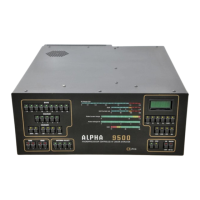
The ALPHA 9500 ships in two heavy-duty cardboard cartons, each
mounted on a wooden pallet and strapped down for secure shipping. The
amplifier weighs 39 lb (18 kg); the transformer weighs 43 lb (20 kg).
1a Remove the strap securing the two boxes to the pallet.
1b Inspect the boxes for shipping damage.
1c Unpack the cartons.
1d Retain the pallet and cartons in the unlikely event that you need to
ship the unit later.
Step 2 Inspect the amplifier and transformer for shipping damage.
If you find damage, call Alpha Radio Products at 303-473-9232.
Step 3 Remove the blower screw from the bottom of the amplifier.
3a Place the amplifier on the bench or desk where it is to be used.


 To Next Page