57
ENGLISHENGLISH
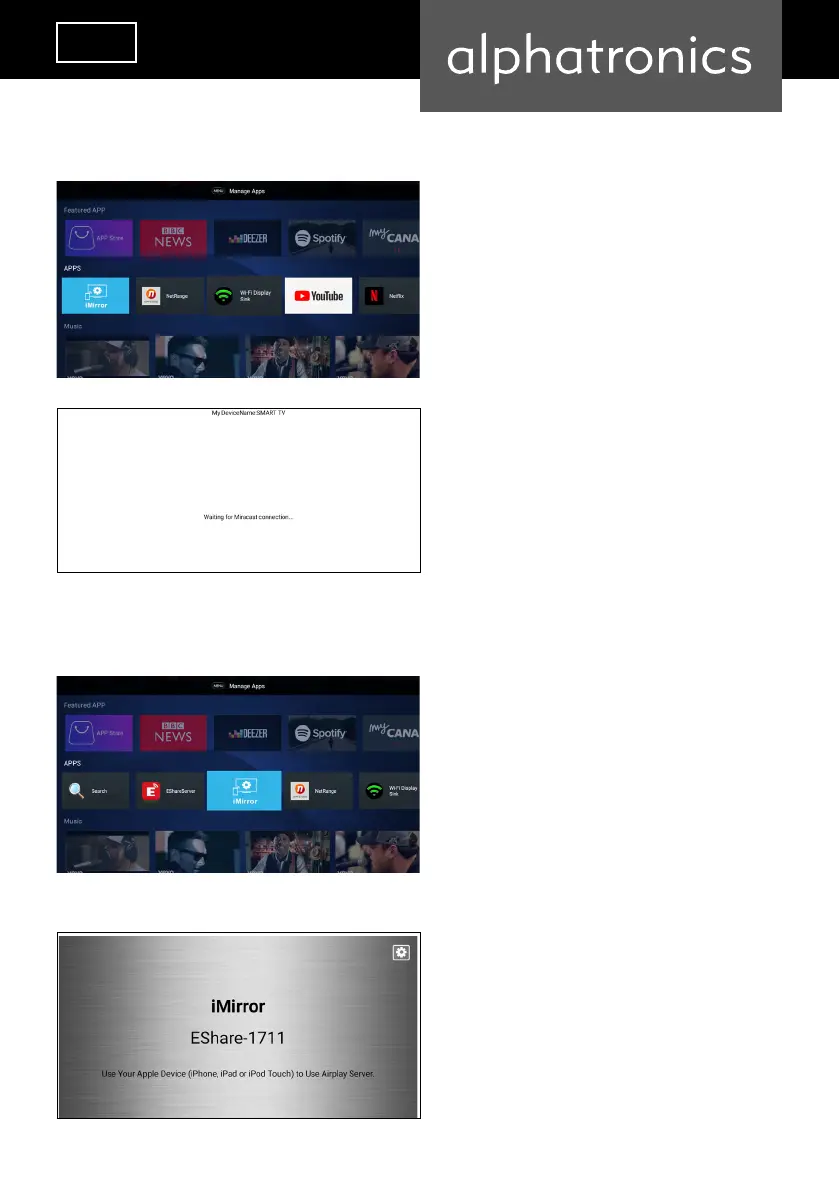
App Miracast
App iMirror
Step 1
Step 2
Connect your Android smartphone to your
alphatronics SMART TV. Both devices must
be connected to the same Wi-Fi network.
Follow the instructions on the screen and
mirror your smartphone to your alphatro-
nics SMART TV (function descriptions vary
depending on the smartphone brand). Both
devices must be connected to the same
Wi-Fi network.
Connect your Apple smartphone to your
alphatronics SMART TV. Both devices must
be connected to the same Wi-Fi network.
Follow the instructions on the screen and
mirror your smartphone to your alphatro-
nics SMART TV (function descriptions vary
depending on the smartphone provider).
Both devices must be connected to the same
Wi-Fi network.


 To Next Page