23
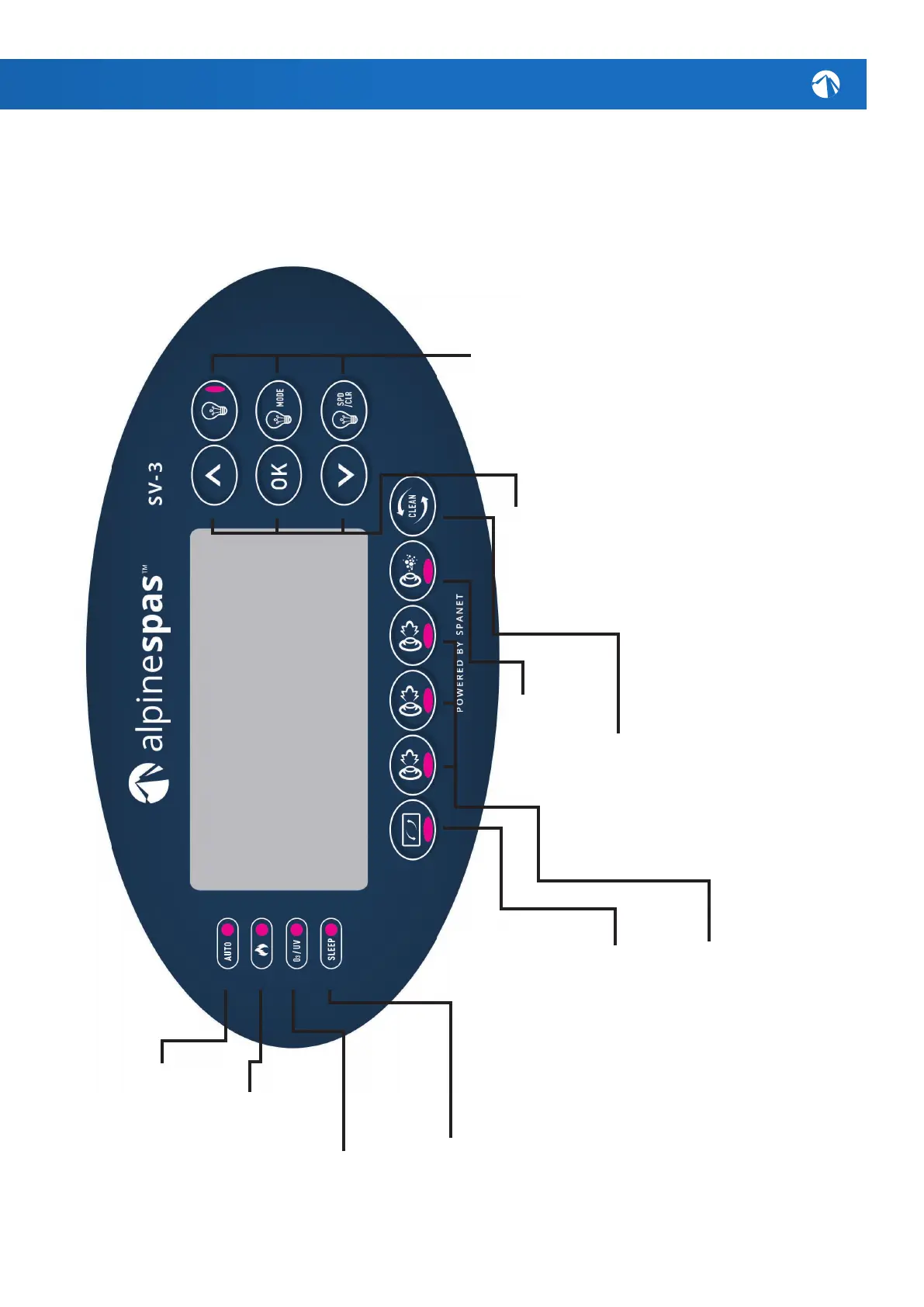
SPANET SV3-VH
(K2SPAPOOL)
HEAT RANGE
10 - 41.0
O
C
SANITIZE
Pressoncetoactivatea20minutesani-
tisation&cleanupcycletorefreshwater
qualityafterspause.Asecondpresswill
cancelthecycleifalreadyrunning.
JET PUMPS
Press to toggle equipped pumps on &
o (some models may only have two
pumps). Green light will illuminate when
running.
BLOWER
No blower equipped however
button may be used to
access certain setup menus.
INVERT/FLIP
Press to ip screen upside down
for easy viewing when spa in use.
UP/DOWN
Short presses of the up & down
buttons will toggle through three
display modes:
W.TMP = Water Temperature S.TMP
= Set Temperature
TIME = Clock.
Holding the up or down buttons
will force the controller to begin
adjusting the set temperature in the
desired direction.
OK
Use this button to conrm and save
setting adjustments or to enter
setting adjustment menus.
LIGHTS
Light: Press to toggle spa lights
on / o.
Light Mode: Press to activate light
mode menu & use the up & down
buttons to select one of ve dier-
ent lighting eect modes.
Light Speed/Colour: Press to
activate light speed or user colour
selection menus. Use up & down
buttons to adjust.
SLEEP TIMER
This LED will turn on to
indicate when the controller
is in sleep mode.
O
3
/UV
This LED will turn
on to indicate that the
Ozone or UV puriers
are operating.
AUTOMATIC LED
This LED will turn on whenever
the ltration pump is in
automatic mode.
HEATER
This LED will turn on when the
heater or heat pump (if tted)
is operating
X



 To Next Page