27
Press and hold the
‘UP/DOWN’ buttons
together. The word
[MODE] will display.
Enter SNZE by
pressing the ‘OK’
button.
Press 'OK' button
to save.
Scroll to nd SNZE
by using the ‘UP or
DOWN’ buttons.
Scroll between
the options to
nd and select
"1.SNZ"
Enter 1.SNZ timer
by pressing the
'OK' button. 1.DAY
will display.
Let screen timeout
(10 secs) back to the
default display. Sleep
timer will now be
disabled.
Use the 'UP or DOWN'
buttons to scroll through
the days of the week until
they disappear and just "
: "
shows on screen.
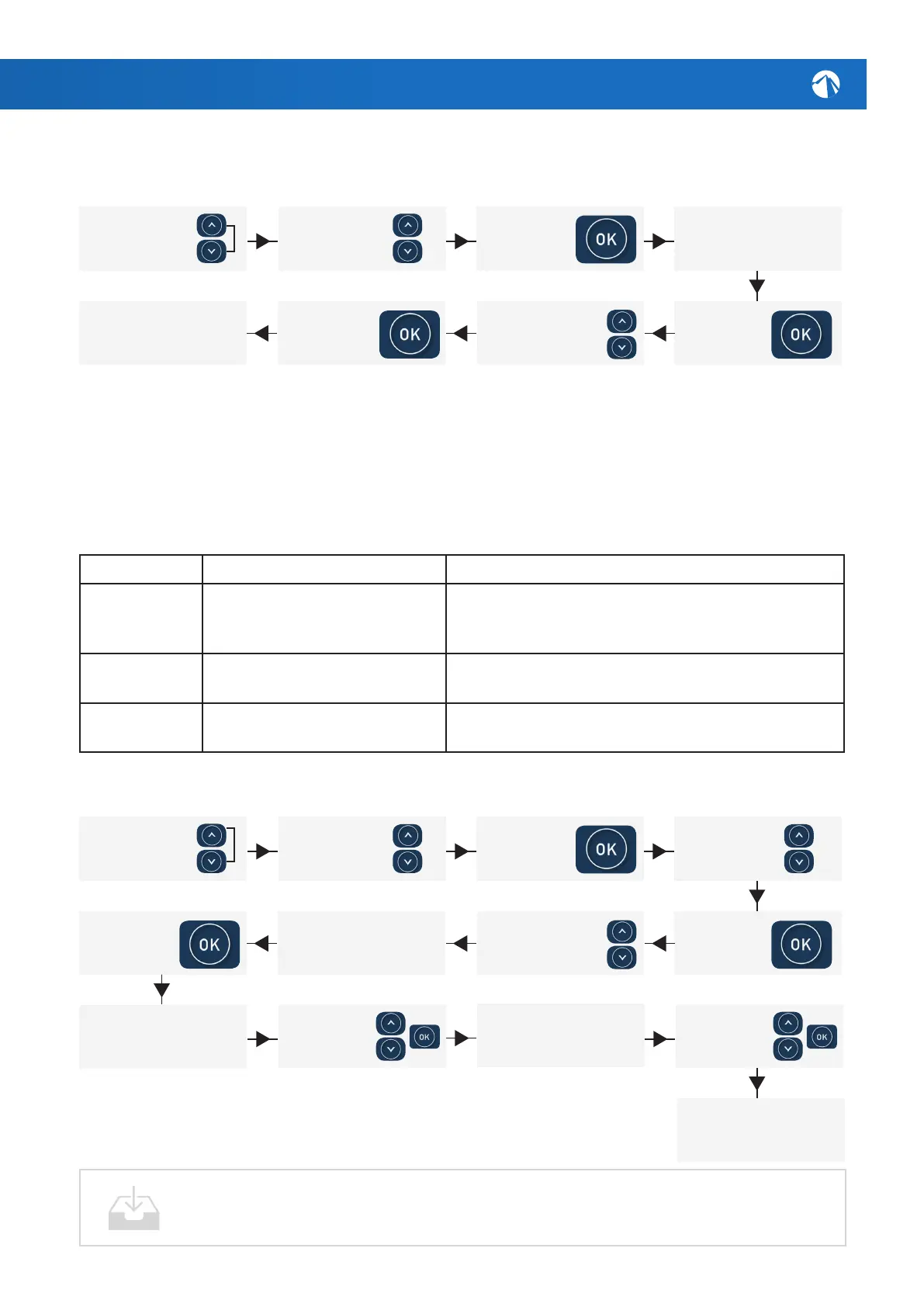
Disabling the Default Sleep Timer [SNZE]
Setting & Adjusting Sleep Timers [SNZE]
Followthesestepsifyouwishtoquicklydisablethedefaultsleeptimer:
Press and hold the
‘UP/DOWN’ buttons
together. The word
[MODE] will display.
Conrm choice with
the 'OK' button.
Enter [SNZE] by
pressing the ‘OK’
button.
Select the desired days of week
for sleep timer to activate by
scrolling through and leaving that
combination visible on screen.
Scroll to nd [SNZE]
by using the ‘UP or
DOWN’ buttons.
After setting the begin time, [1.END]
will display briey then ick off and
display another time setting. Now set
the time you wish the timer to end.
After setting the end time, the
display will ick back to home screen
and will be all setup.
Set the time using
the 'UP', 'DOWN' &
'OK' buttons.
Set the time using
the 'UP', 'DOWN' &
'OK' buttons.
Scroll between
the options and
choose [1.SNZE]
or [2.SNZE]
Enter the desired
timer by pressing
the 'OK' button.
[1.DAY] will display.
Weekdays will appear
bottom left of screen.
Use the 'UP or DOWN'
buttons to cycle through
the days of the week.
Twoindividualsleeptimerscanbeset,eachofwhichcanoperateononeormore
speciedweekdays.Theseappearintheformof[1.SNZE]and[2.SNZE]inthe
settings.Eachsleeptimesettingconsistsofaweekdaysetting,starttimeand
stoptime(refertablebelow).
Item Description Notes
#.DAY Selecteddayofoperation Sat/Sun/Mon/Tue/Wed/Thu/FriSat-Sun/
Mon-Fri / Sat-Fri / :
Default=Sat-Fri(Note:=disabled)
#.BGN Begin Time
Sleeptimeperiodbegins
Adjustable:00:00-23:59
Default=22:00(10PM)
#.END EndTime
Sleeptimeperiodends
Adjustable:00:00-23:59
Default=07:00(7AM)
Thefollowinginstructionsareanexampleofhowtoadjustoneofthesleeptimers:
[1.BGN] will display briey then ick
off and display a time setting. You
are now setting the time you wish
to start the timer on the previously
chosen days.
AfullSpaNetcontrolpanelmanualwithadvancedfunctionscanbe
downloadedfromoursupportpage:http://alpinespas.co.nz/support/






 To Next Page