22
English
Radio Operation
ALPINE
or/ou/o
A
6
5
Titling Stations (Continued)
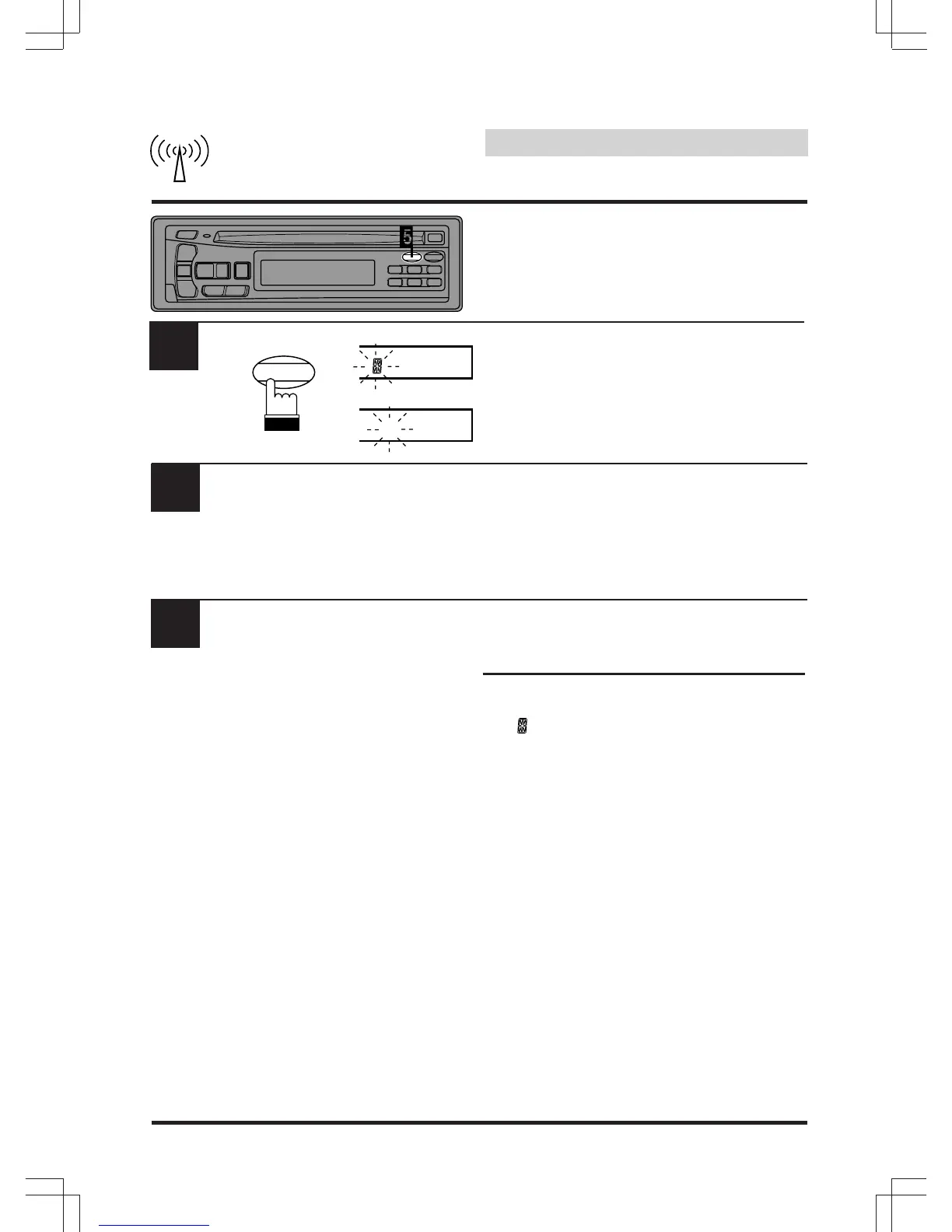
Press the TITLE button to store the first
character. The first character will stop blinking
and the display will automatically advance to
the next character. When that character begins
to blink, you may choose the next letter or
symbol of your title.
Repeat the steps 4 and 5 above to complete
the titling. All 8 character positions should be
filled. Use spaces where characters are not
needed (for example at the end of a 5 character
title, use 3 spaces to complete the title).
After the last character has been entered
(character number 8), the title will automatically
be stored.
Notes:
• When you want to erase a title, enter the
" " symbol into all spaces.
When the title memory is used up, the
display shows "FULL DATA." Storing new
station titles after the "FULL DATA"
message has been displayed, causes
previously stored titles to be erased. The
new station titles will replace the old titles
beginning with the first one created.
• A total of 24 titles for AM and FM stations
may be entered.
7
or
TITLE
CLK


 To Next Page