21
Réception
radio
English
Radio Operation
1
Titling Stations
(CDA-7837E only)
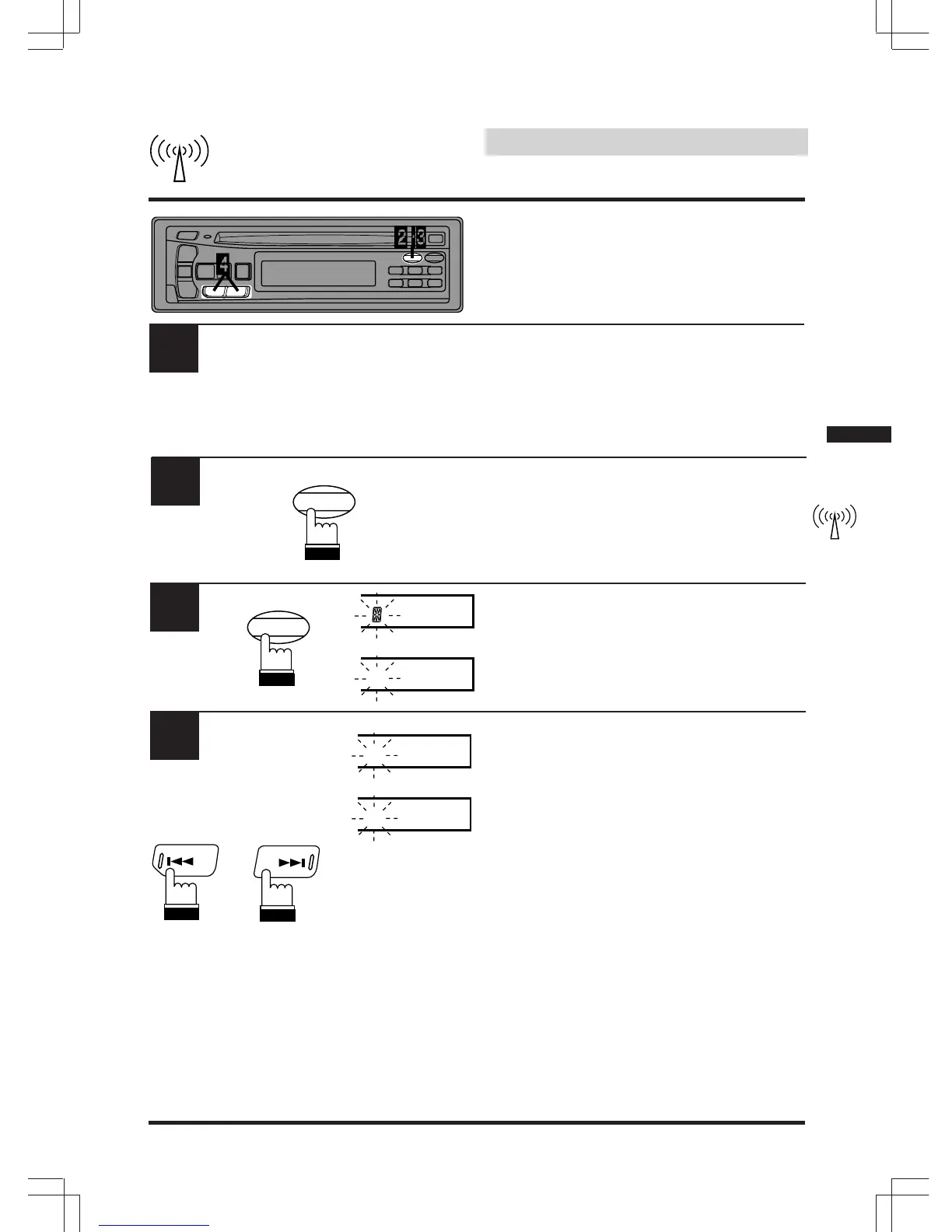
Tune in a station to be titled.
Press the TITLE button twice (once if you are
already in the Clock Priority mode) to select the
preset station titling mode.
Press and hold the TITLE button for at least 3
seconds. The first digit will blink.
Press the DN (c ) or UP (f ) button to select
the desired letter/numeral/symbol available for
naming ("A" for example).
2
3
4
BLPINE
or/ou/o
ALPINE
or/ou/o
A
or
or
UP
DN
TITLE
CLK
TITLE
CLK


 To Next Page