10-EN
Setup Operation
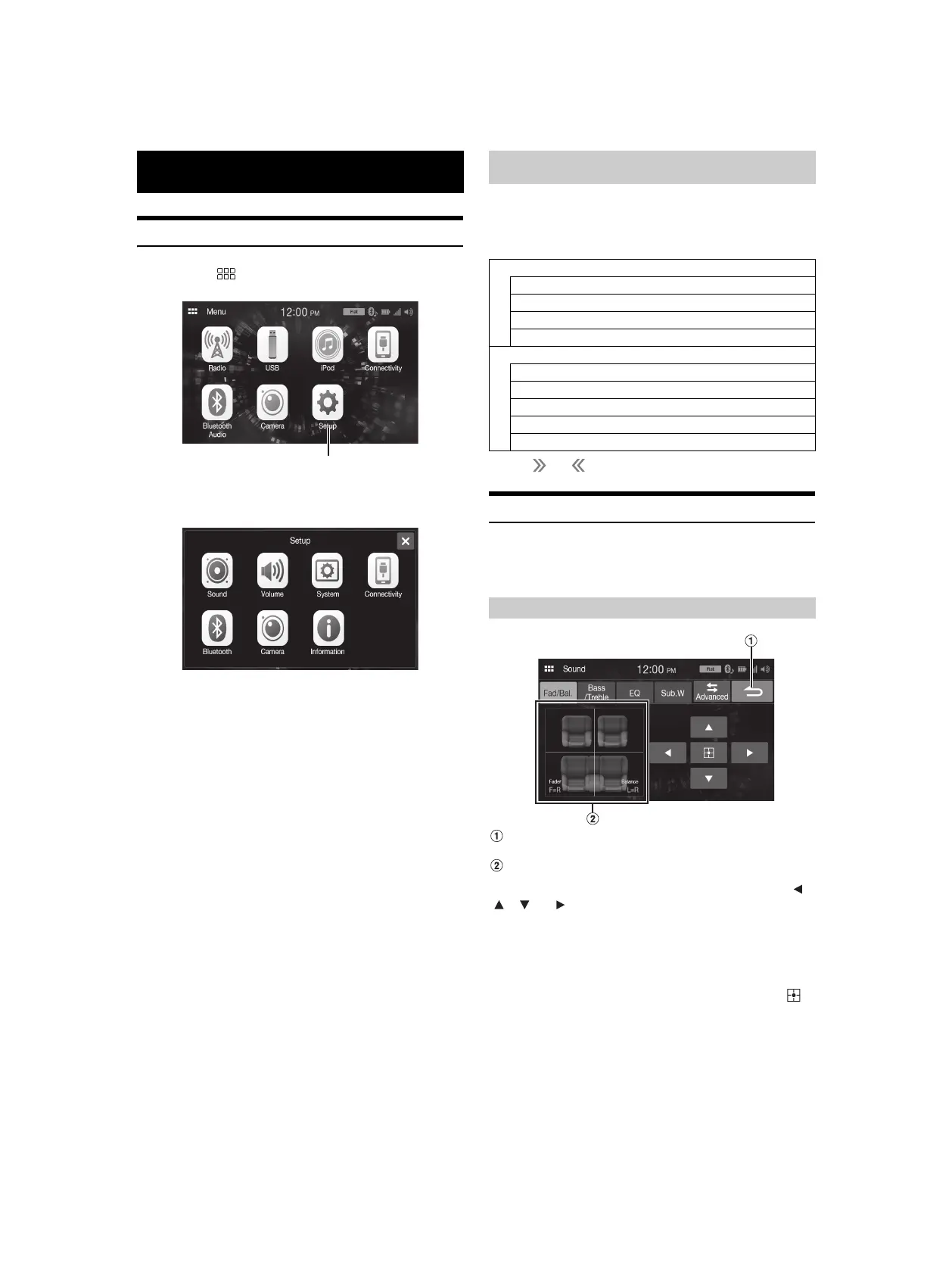
1 Touch the (HOME) button.
The HOME screen is displayed.
2 To uc h [Setup].
The Setup main screen is displayed.
3 Touch the required setting icon, then touch the setting
item.
Setting items:
Sound: See “Sound Setup” (page 10).
Volume: See “Volume Setup” (page 15).
System: See “System Setup” (page 16).
Connectivity: See “Connectivity Setup” (page 18).
Bluetooth: See “Bluetooth Setup” (page 18).
Camera: See “Camera Setup” (page 19).
Information: See “Information” (page 21).
[Sound] is selected on the Setup menu screen.
You can set up items related to the sound quality.
Tou ch [Advanced] or [Simple] to change the setting screen.
<Setting item>
* Tou c h [] or [] to show further hierarchies.
Simple Sound Settings
[Simple] is selected on the Sound Setup menu screen.
Setting item:
Fad./Bal., Bass/Treble, EQ, Sub.W
Cancel
Sound setup finishes.
Fader/Balance Image area
Touch the desired point within the image area, or touch [ ],
[], [] or [].
Fader:
[10]Front to [10]Rear
Balance:
[10]Left to [10]Right
• To reset to the initial setting (Fader: F=R, Balance: L=R), touch [ ].
Setup
Sound Setup
Simple
Fad./Bal. (page 10)
Bass/Treble (page 11)
EQ (page 11)
Sub.W (page 11)
Advanced*
X-Over (page 12)
P-EQ (page 12)
TCR (page 13)
MX (page 13)
Defeat (page 13)
Setting the Fader/Balance



 To Next Page