11-EN
T
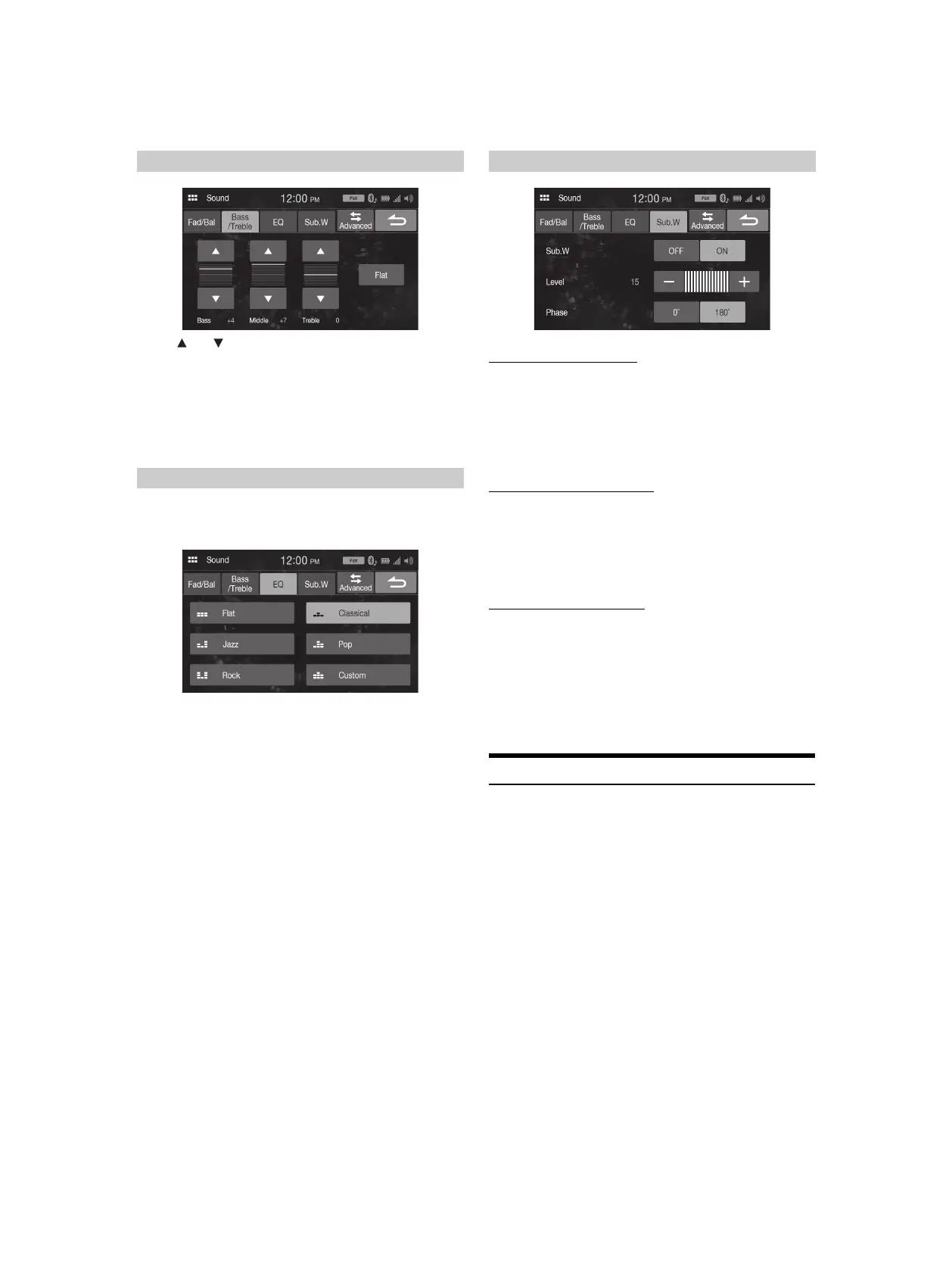
ouch [ ] or [ ] for each item to be adjusted.
Setting item:
Bass, Middle, Treble
Setting contents:
-7 to 7 (Initial setting: 0)
• To reset the initial setting (Bass: 0, Middle: 0, Treble: 0), touch [Flat].
• When the Defeat setting is [On], you cannot perform the set up.
5 typical equalizer settings are preset at the factory for a variety of
musical source material. You can also preset an equalizer by
customizing.
Setting item:
EQ
Setting contents:
Flat (Initial setting), Jazz, Rock, Classical, Pop, Custom
• When the Defeat setting is [On], you cannot perform the set up.
• Only one type can be set.
•When you select [Custom], the P-EQ setting screen is diaplayed
(page 12).
• If you select a content except for [Custom] on this setting, P-EQ setting
(page 12) will change P-EQ Setting.
Turning Subwoofer ON/OFF
If an optional subwoofer is connected to the unit, make the following
setting.
Setting item:
Sub.W
Setting contents:
Off (Initial setting), On
Adjusting the Subwoofer Level
Setting item:
Level
Setting contents:
0 (Initial setting) to 15
• This setting is only available when “Sub.W” is set to [On].
Setting the Subwoofer Phase
The subwoofer output phase is toggled Subwoofer Normal (0°) or
Subwoofer Reverse (180°).
Setting item:
Phase
Setting contents:
0° (Initial setting), 180°
• This setting is only available when “Sub.W” is set to [On].
Advanced sound settings
[Advanced] is selected on the Sound Setup menu screen.
Setting item:
X-Over, P-EQ, TCR, MX, Defeat
Adjusting the Bass/Middle/Treble
Setting an Equalizer
Setting the Subwoofer



 To Next Page