18-EN
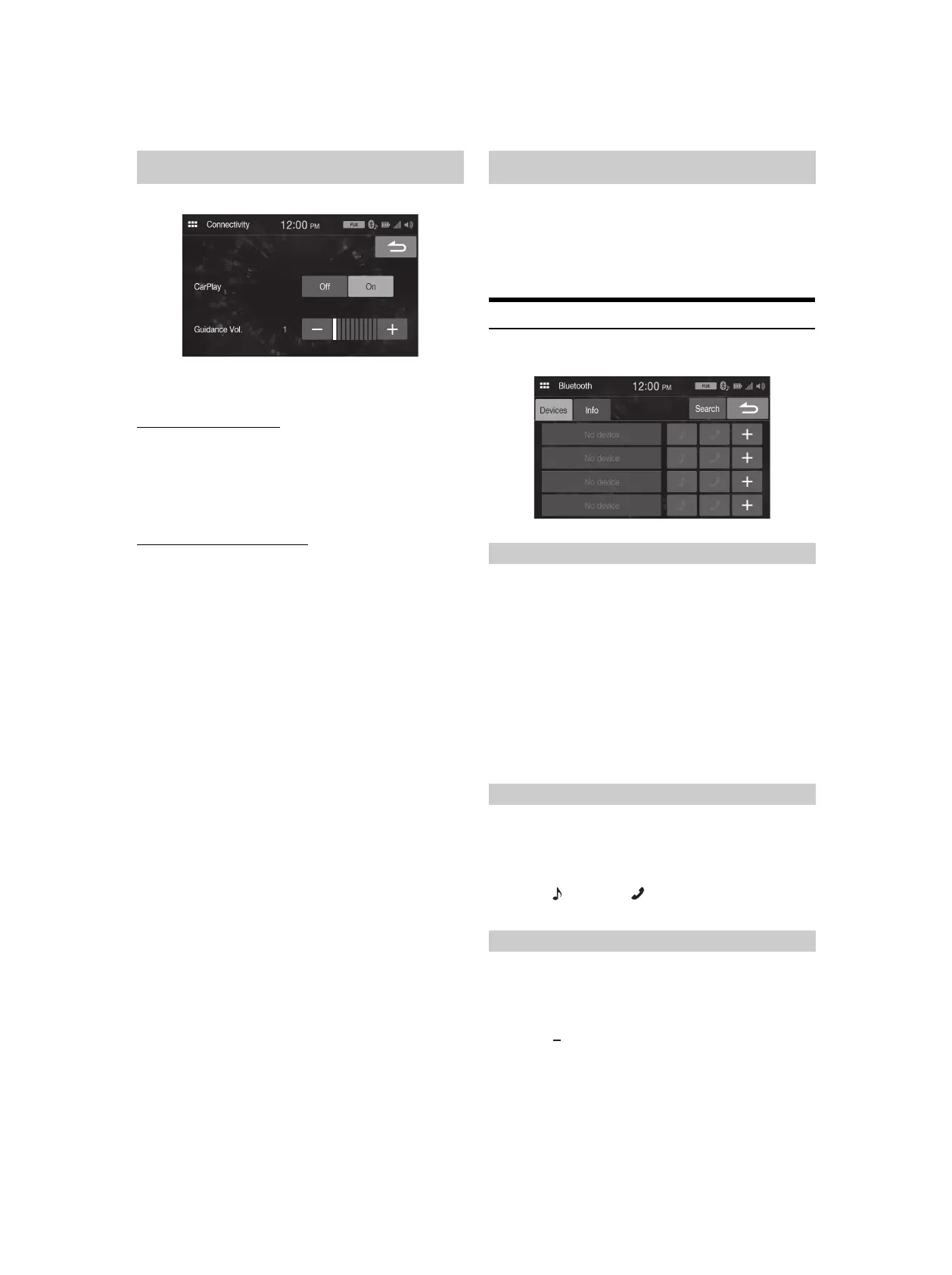
[Connectivity] is selected on the Setup menu screen.
Setting item:
Connectivity
Using Apple CarPlay mode
Setting item:
CarPlay
Setting contents
Off, On (Initial setting)
• To use iPhone as iPod mode, select [Off].
Adjusting the Guidance Volume
Setting item:
Guidance Vol.
Setting contents
00 to 10
[Bluetooth] is selected on the Setup menu screen.
Setting item:
Bluetooth
Setting contents:
Devices, Info, Search
Device Setup
[Devices] is selected on the Bluetooth Setup Menu screen.
You can register and set up Bluetooth compatible devices.
1 To uc h [Devices] on the Bluetooth Setup Menu screen.
2 To uc h [+] of “No Device”.
3 Select this unit (iLX-W650) to set the Bluetooth
connection on the Bluetooth device.
When the device registration is complete, a message appears
and the device returns to normal mode.
• The Bluetooth registration process differs depending on the device
version and SSP (Simple Secure Pairing). If a 4 or 6 character Passcode
appears on this system, enter the Passcode on the Bluetooth device.
• If a 6 character Passkey appears on this system, make sure the same
passkey is displayed on the Bluetooth device, and follow the screen.
Select one of 4 paired Bluetooth compatible devices that you previously
registered.
1 To uc h [Devices] on the Bluetooth Setup Menu screen.
2 To uc h [] (Audio) or [] (Hands-free) of the device you
want to connect from the Paired Device list.
You can delete the information of a previously connected Bluetooth
compatible device.
1 To uc h [Devices] on the Bluetooth Setup Menu screen.
2 To uc h [] of the Bluetooth compatible device to delete
from the Paired Device list.
3 To uc h [Yes].
•Touching [No] will cancel the setting.
Connectivity Setup Bluetooth Setup
Pairing the Bluetooth Device
Setting the Bluetooth Device
Deleting a Bluetooth Device from the list



 To Next Page