20-EN
A
djusting Color of Display
Setting item:
Colors
Setting contents:
-5 to 5 (Initial setting: 0)
• You can adjust the color between MIN (-5) and MAX (5).
Adjusting Display Contrast
Setting item:
Contrast
Setting contents:
-5 to 5 (Initial setting: 0)
• You can adjust the contrast between MIN (-5) and MAX (5).
When the camera is connected, the video input signal type can be
chosen.
Further setting item:
Camera Signal (Page 2)
Setting contents:
NTSC (Initial setting) / PAL
• When both “Primary” and “Secondary” are set to [Off], [Page 2]
cannot be selected.
When displaying the rear camera view on the screen, you can set to hide
or show the camera guide.
Setting item:
Rear Camera Guide (Page 3)
Setting contents:
Off / On
• When both “Primary” and “Secondary” are set to [Off], [Page 3]
cannot be selected.
• To use this setting, set “Primary” or “Secondary” to [Rear].
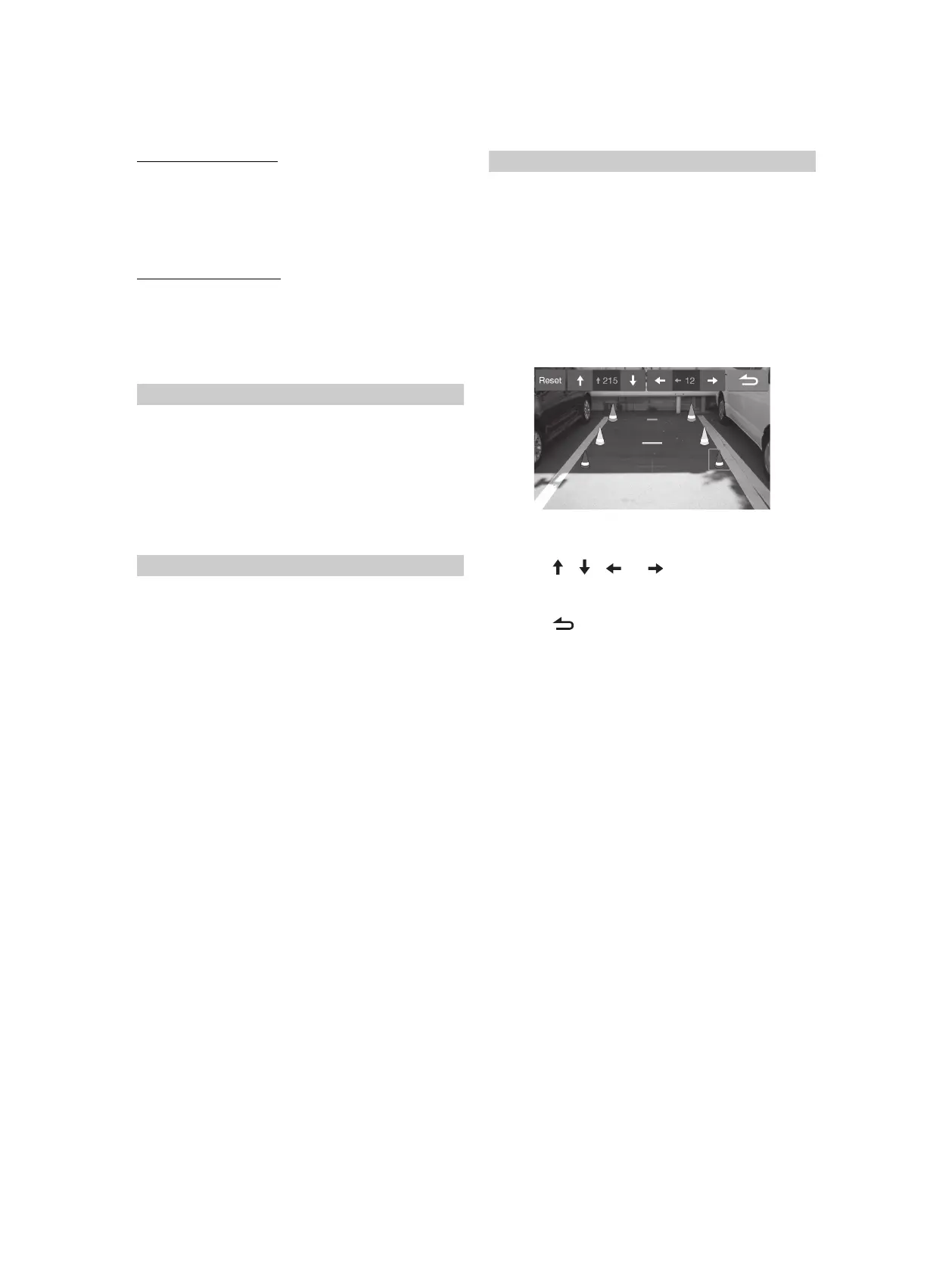
You can adjust the camera guide position.
Setting item:
Rear Camera Guide (Page 3)
Further setting item:
Adjustment
1 To uc h [Adjustment] on “Page3”.
The camera guide adjustment screen is displayed.
• When both “Primary” and “Secondary” are set to [Off], [Page 3]
cannot be selected.
• To use this setting, set “Primary” or “Secondary” to [Rear].
• To use this setting, set “Rear Camera Guide” to [On].
2 Touch the icon you want to move.
3 Touch [ ], [ ], [ ] or [ ] to move the icon.
•Touching [Reset] clears adjustments and returns to the setting
before guide line alteration.
4 Touch [ ] to complete the adjustment and return to
the previous screen.
Setting the Camera Signal Input
Turning the Rear Camera Guide On/Off
Adjusting the Rear Camera Guide



 To Next Page