19
-EN
Saving Radio Broadcast to Presets
This feature is used to manually save the current broadcast to the
desired preset number.
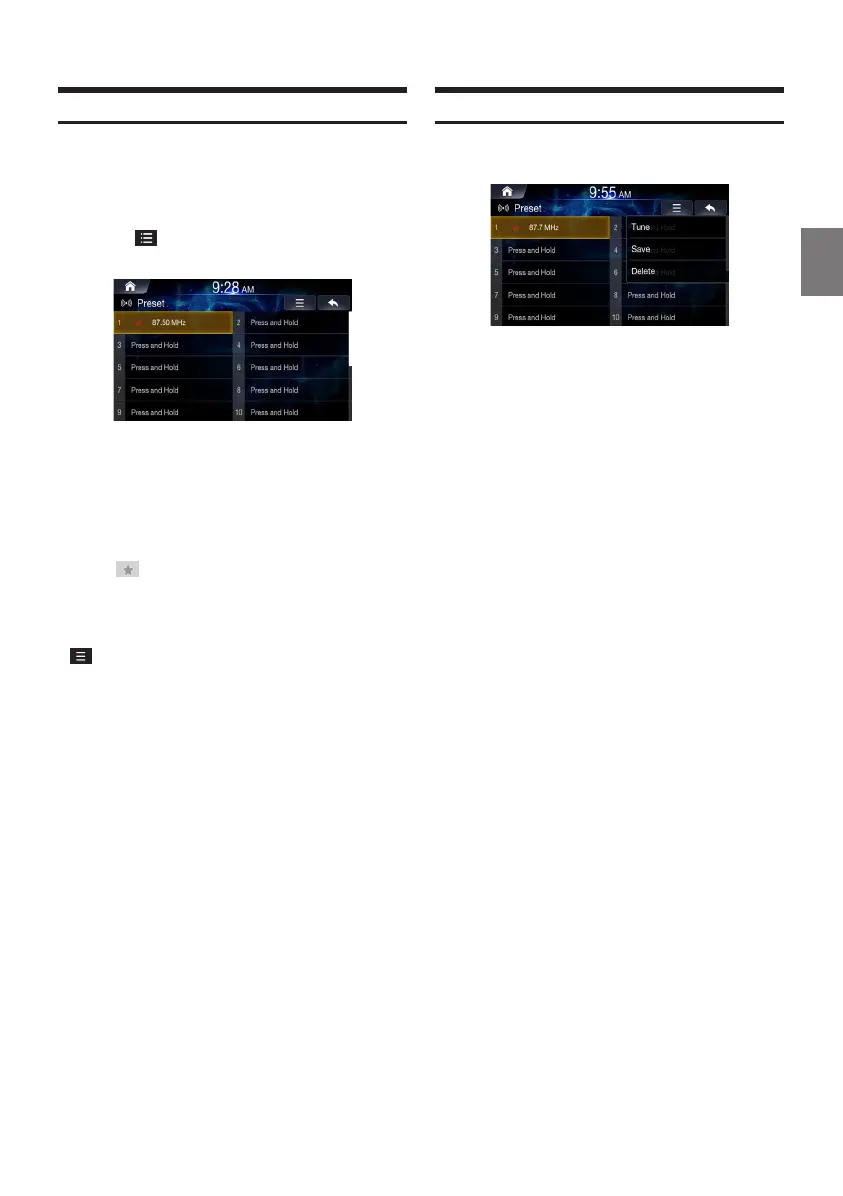
Tune the broadcast you wish to save.
Touch .
Touch and hold the [Press and Hold] area or the
desired number area you want to save.
You can save a total of 20 stations or broadcasts as presets for each
band (FM, AM, or DAB).
• In the List screen, you can also save the channel to preset by
pressing .
• If a preset memory has already been set in the same preset
number, it will be cleared and the new broadcast will be
memorised.
• In the Presets screen, you can delete the saved presets. Touch
→
[Delete all].
Using Preset Menu
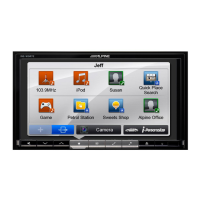
Touch and hold the preset list you want to edit.
Select the desired option.
• Tune: plays the selected frequency.
• Save: overwrites frequency listening to currently.
• Delete: deletes frequency.
ALPINE_OM_AU_ENG_191023.indd 19 2019-10-23 오후 8:57:51


 To Next Page