73
-EN
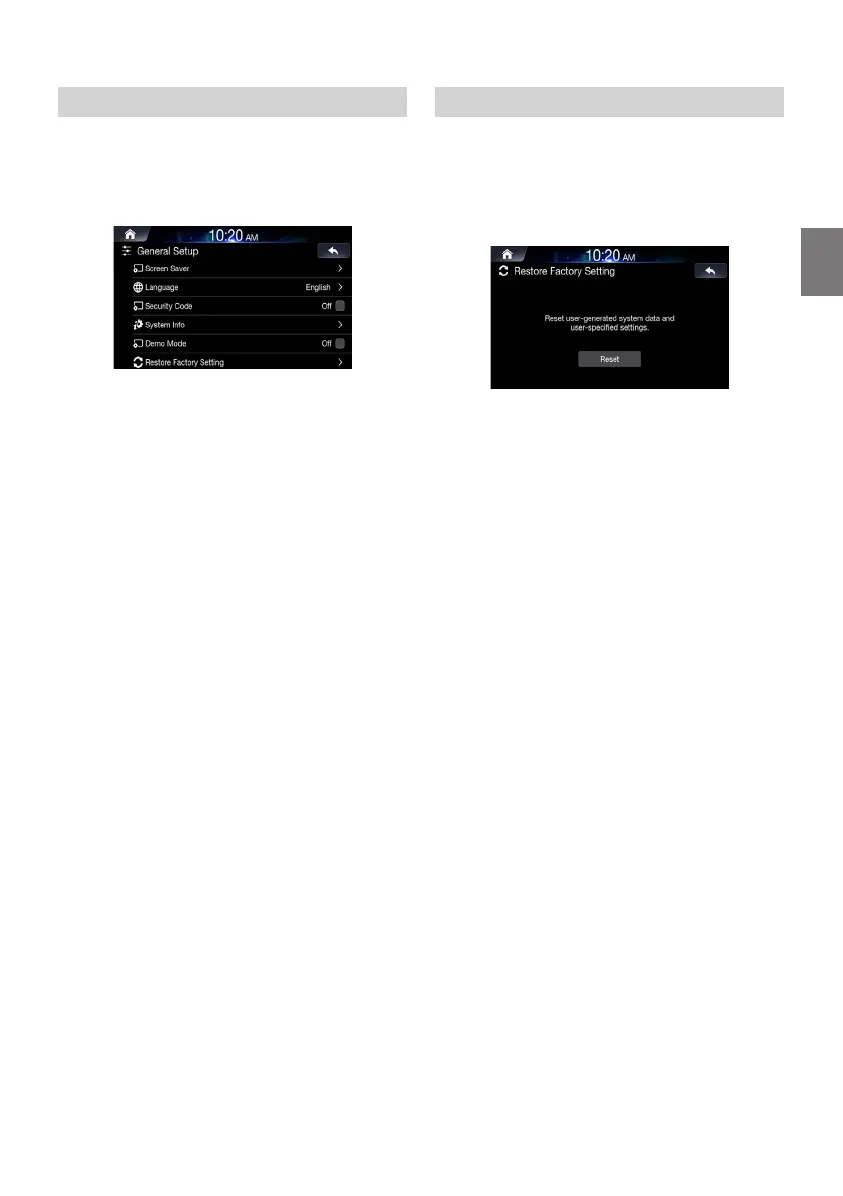
Setting Demo Mode
This unit has a Demonstration feature for the display.
To quit demo mode, set Demo mode to Off.
Uncheck the [On] box to turn the feature off.
Check the [Off] box to turn the feature on.
To start Demo mode, refrain from operating the system for 30
seconds. Please wait.
• If you perform an operation during the Demo mode, the
demonstration is temporarily stopped.
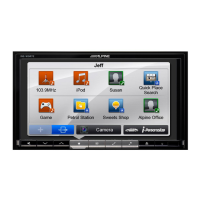
Initializing the System
You can initialise all data, to restore the factory settings. Remove the
USB flash drive, etc. from the system before operation.
In the General Settings screen,
touch [Restore Factory Setting].
Touch [Reset]
→
[Yes].
• Do not turn on/off the power, change the ignition key position or
remove the screen panel until system restart is completed.
ALPINE_OM_AU_ENG_191023.indd 73 2019-10-23 오후 8:58:38


 To Next Page