60
-EN
Setup
Starting mode
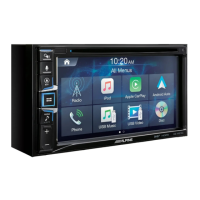
Press the All Menus button
→
touch [Setup].
Or in the Home screen, touch
→
[Setup].
The Setup main screen will be displayed.
Touch the required setting icon on the upper part
of the Setup main screen or swipe the list to the
left/right. Then touch the setting item.
Bluetooth Settings
This menu allows you to set Bluetooth
®
settings.
In the Setup screen, touch [Bluetooth].
Bluetooth Connection
This menu allows you to manage the Bluetooth device list, such as
pairing, connecting or deleting Bluetooth devices.
In the Bluetooth Settings screen, touch [Bluetooth
Connection].
〇①〇
Connect/Disconnect
connects/disconnects a Bluetooth device.
〇②〇
Add new
pairs a new Bluetooth device.
〇③〇
Delete items
deletes a paired Bluetooth device.
〇④〇
Delete all
deletes all paired Bluetooth devices.
ALPINE_OM_AU_ENG_191023.indd 60 2019-10-23 오후 8:58:29


 To Next Page