5-EN
Touch Screen & General Operation
EN
• Direct Touch Support
If KCE-635UB is connected to a Direct Touch enabled monitor device (e.g. iXA-W404R, iXA-W407BT,
IVA-D511R, INE-S900R, TME-S370), you can operate it even more conveniently by touch control.
It is recommended to perform a touch screen calibration (setup menu) prior to first time use.
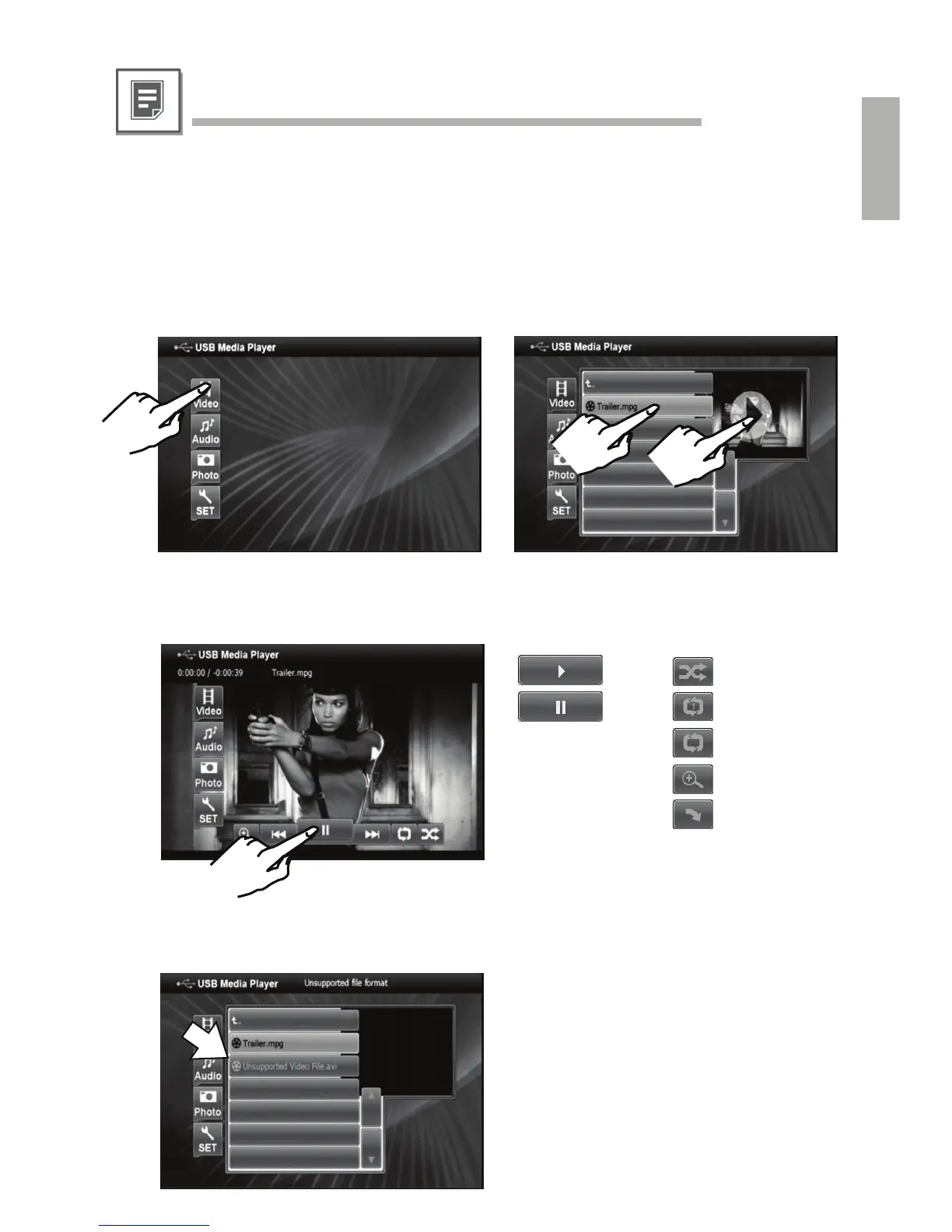
For basic Direct Touch operation please refer to the below illustration.
(1) Select a source type (e.g. video mode)
Note: ONLY video files will be listed.
(2) Browse the file/folder structure and select
the desired file. (3) Start playback.
1
2
3
• File Selection
Depending on the selected operation mode and file format the following controls
are available during playback.
• Playback Mode
Files of an unsupported format will be
automatically greyed-out.
• Unsupported Files
play
pause
M.I.X.
repeat one
repeat all
zoom
rotate clockwise
by 90°



 To Next Page