7-EN
Setup Menu
EN
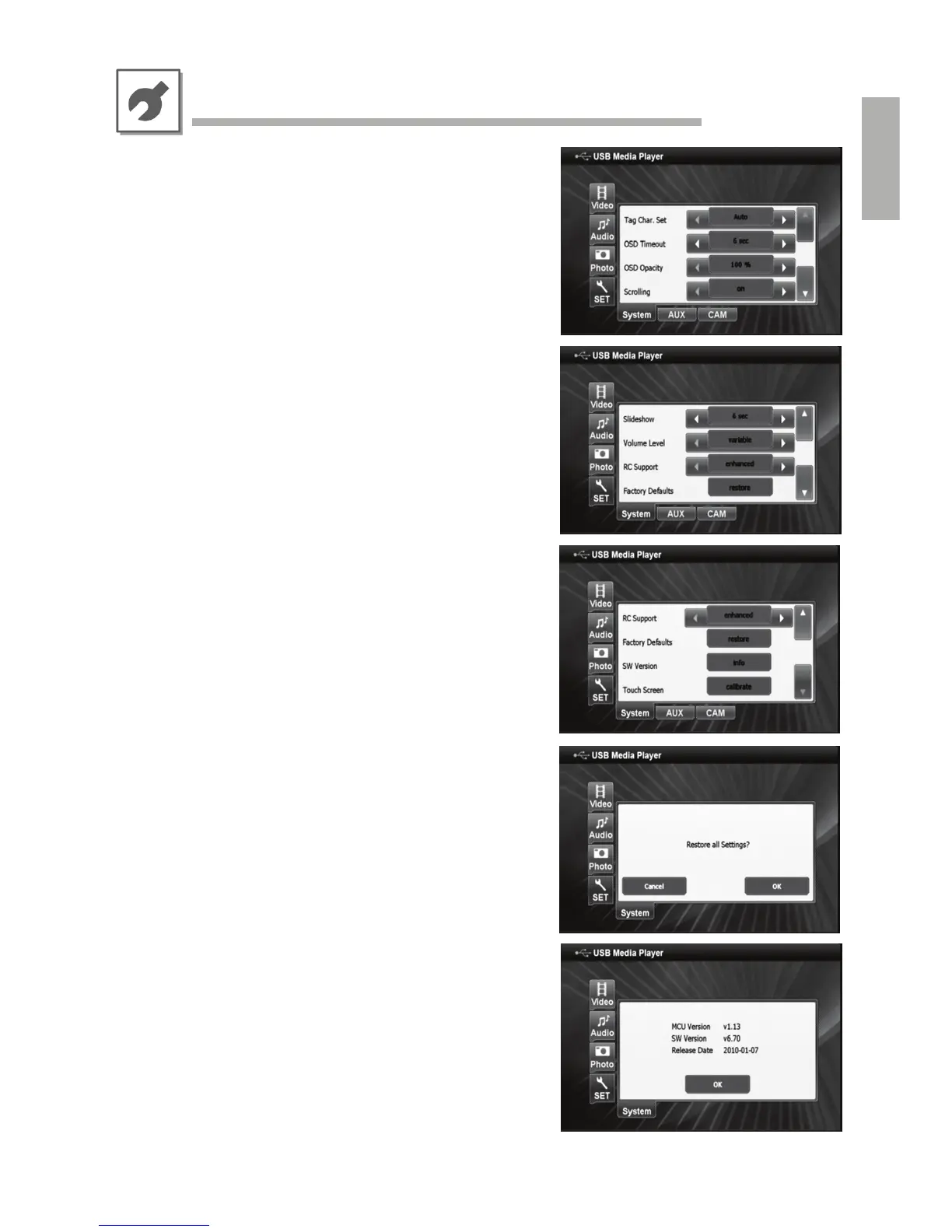
• ID3 Tag Character Set
If your audio files’ ID3 tag information (artist, title etc.) is not
properly displayed, please select another character set
according to the desired region.
[Automatic, Western EU, Eastern EU, Cyrillic, Greek]
• On Screen Display (OSD) Timeout
You can select a preferred OSD timeout period.
[2 sec., 4 sec., 6 sec., 8 sec., 10 sec.]
• On Screen Display (OSD) Opacity
You can select a preferred OSD opacity.
[100%, 50%]
• Text Scrolling
This selects whether extra-long file names and ID3 tag
information on the screen are scrolled, or not.
[on, off]
• Slideshow Timing
This selects the desired picture slideshow speed in photo
mode.
[2 sec., 4 sec., 6 sec., 8 sec., 10 sec.]
• Volume Level
This selects whether KCE-635UB’s volume output level is
adjustable or shall be fixed at the current value.
[variable, fixed]
• Remote Command Support
This selects whether KCE-635UB’s remote controllability
Shall be limited to its exclusive remote commands, or not.
This setting may only need to be changed if experiencing
interferences with other devices in larger multimedia systems.
[enhanced, USB only]
• Restore Factory Default Settings
This restores all KCE-635UB factory default settings.
• Software Version
This displays the current system software versions for service
purposes.



 To Next Page