8-EN
Setup Menu
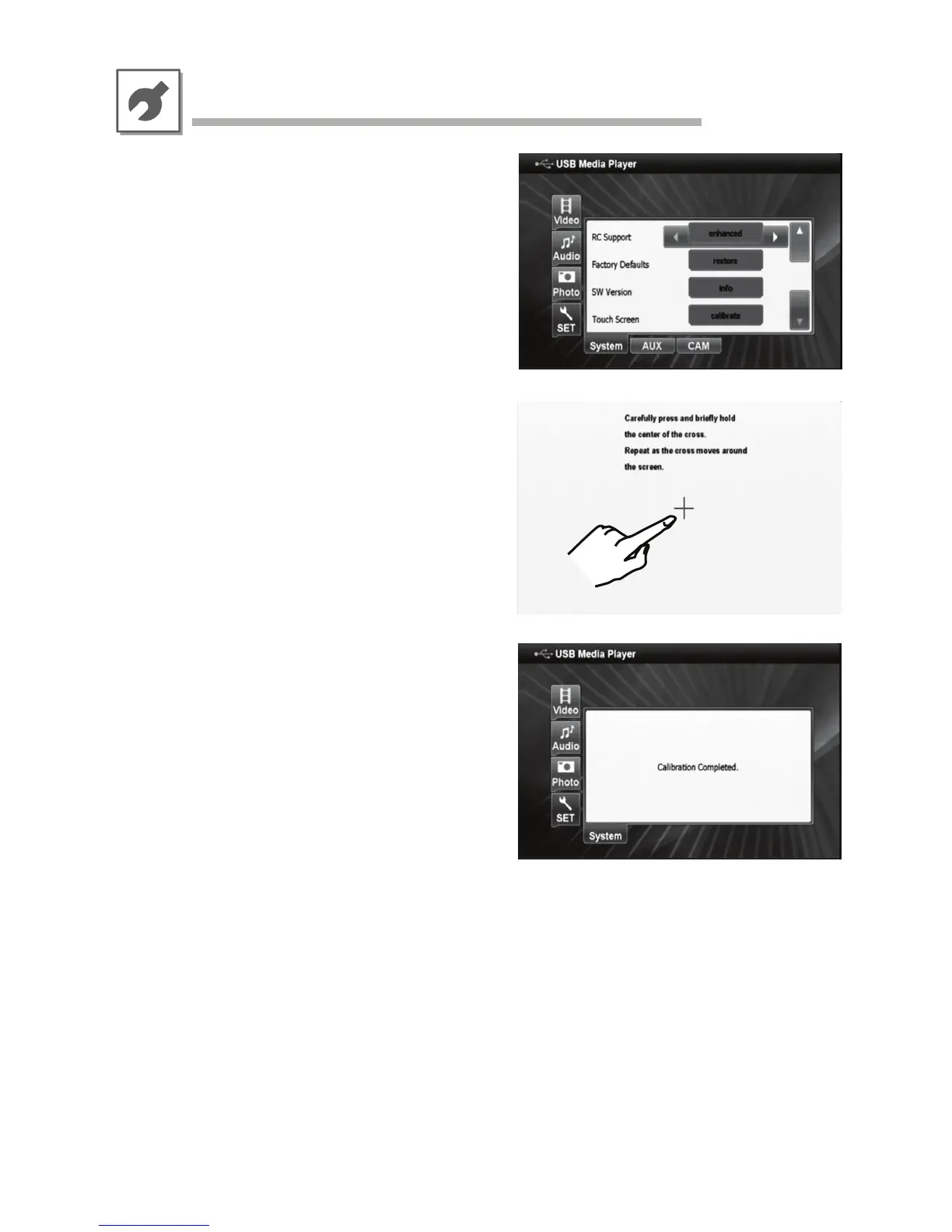
• Touch Screen Calibration
The Touch Screen Calibration menu is only accessible
with a Direct Touch enabled monitor device.
It is recommended to perform a touch screen calibration
prior to first time use.
Please follow the instructions on the screen in order
calibrate KCE-635UB for Direct Touch operation with
your monitor.
Depending on the connected monitor device, you may
need to wait for 2 seconds between each step of the
calibration.



 To Next Page