39
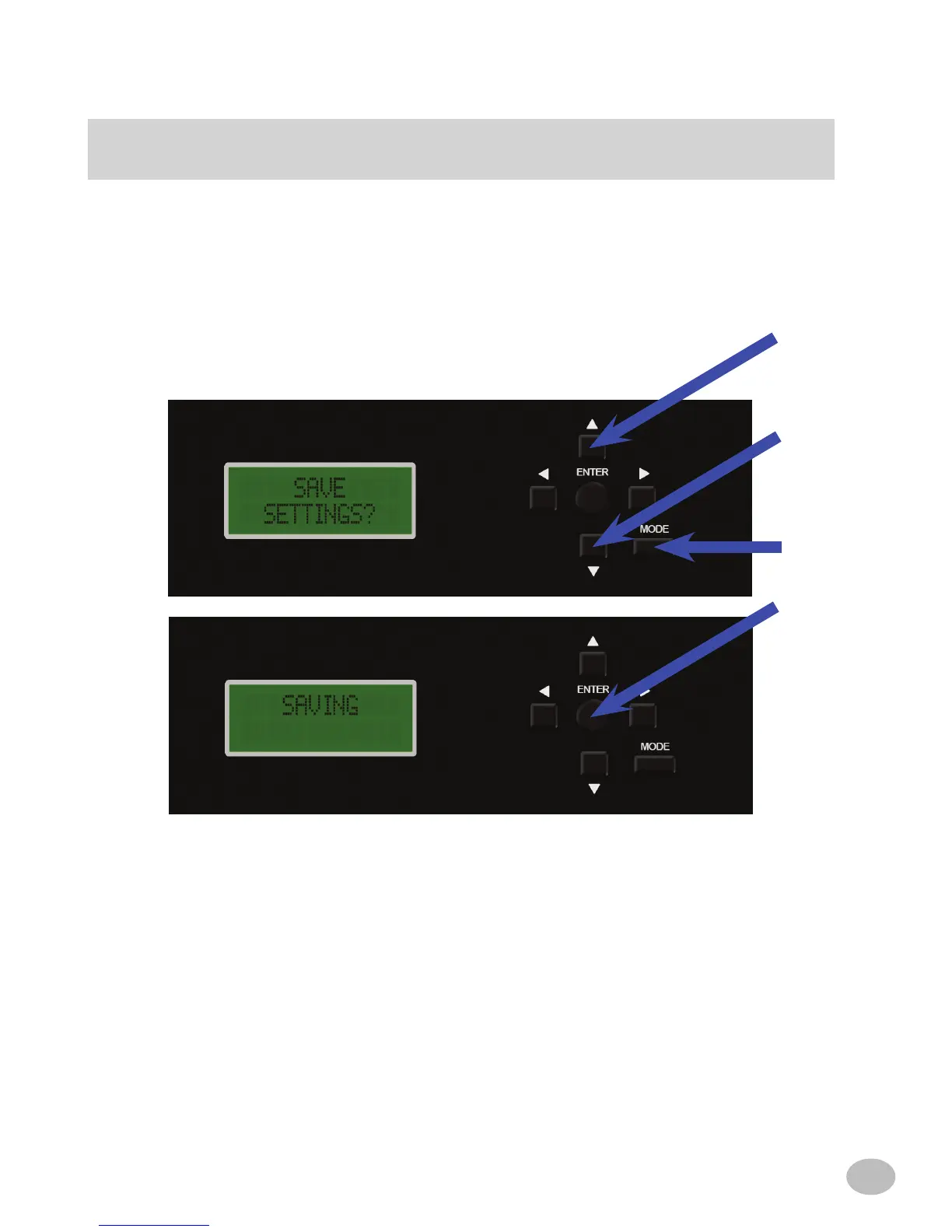
d) Upon completing the adjustment, press the MODE button twice to exit the menu.
Use the q or p button to scroll to "SAVE SETTINGS" to store changes into non-
volatile memory. This will keep the settings safe in case +12V constant is removed
from the PXE-H660. Press ENTER to continue with the save. The MODE button
can be used at any point, to return to the previous sub-menu. to make additional
adjustments.
TImE CORRECTION
OR



 To Next Page