12
English
Radio Operation
Manual Storing of Station
Presets
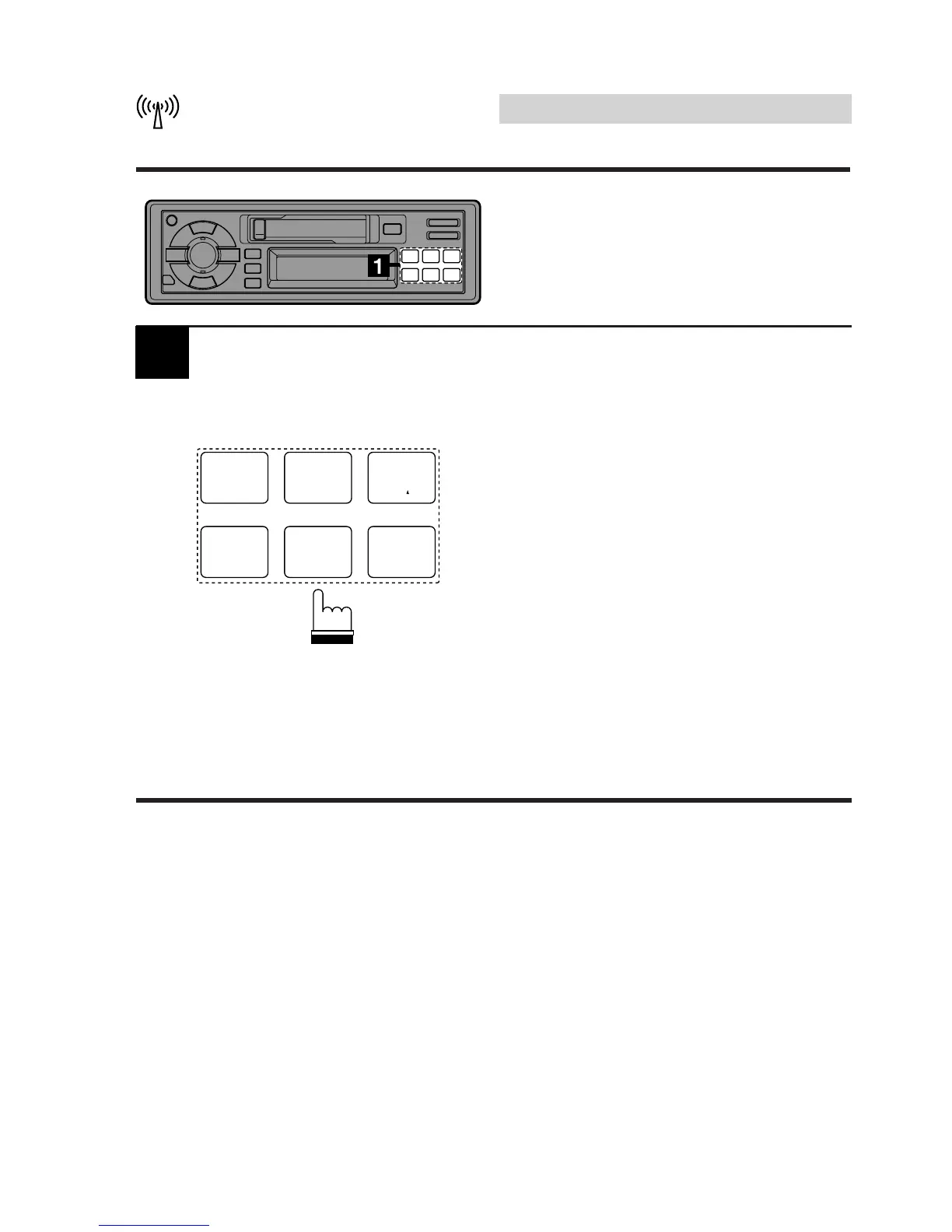
1. Tune in a desired radio station you wish
to store in the preset memory.
2. Press and hold any one of the preset
buttons (1 through 6) for at least 2
seconds. The station frequency will start
blinking.
3. Press the preset button into which you
wish to store the station while the display
is blinking (within 5 seconds).
The display stops blinking to indicate that
the station has been memorized. The
preset number is also displayed.
4. Repeat the procedure to store 5 other
stations onto the same band.
Use this procedure for other bands.
A total of 24 stations can be stored in the preset
memory (6 stations for each band FM1, FM2,
AM and D.A.P.).
Note: If a preset memory has already been set
in the same preset location, it will be
cleared and the new station will be
memorized.
B.SKIP
1
CT
4
P.S. DN
2
H
5
P.S. UP
3
M
6
1



 To Next Page