21
English
Controlling CD Shuttle
(Optional)
If an optional Alpine 6-disc CD Shuttle is
connected to the DIN connector of this unit, the
CD shuttle can be controlled from the unit's
front panel.
CD Shuttle Operation
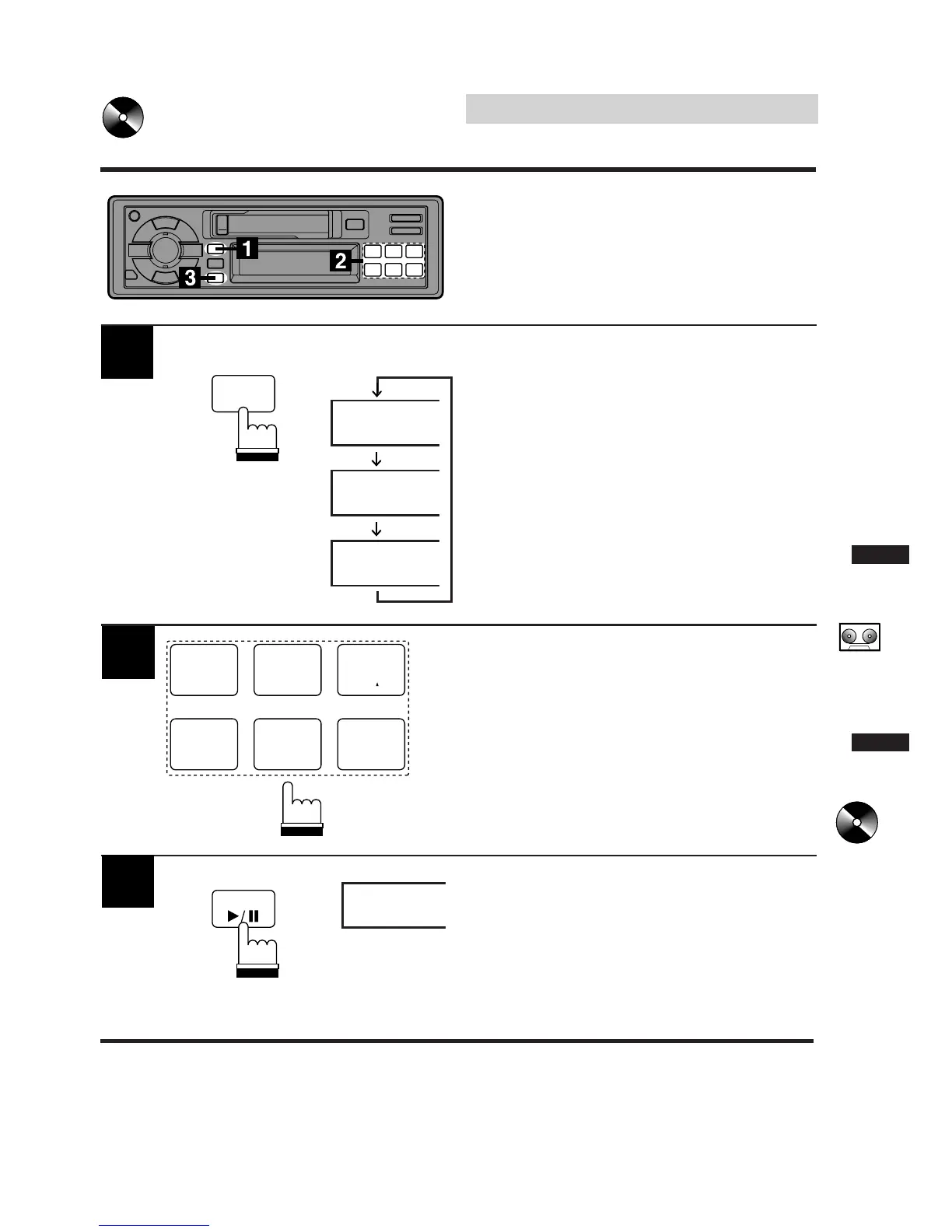
1
The display example shows when playing
Track 5 on Disc 3.
Press the SOURCE button to activate the CD
Shuttle. The display shows the disc number and
track number.
Press the Preset buttons to select the desired
disc loaded in the CD Shuttle.
T-05
D-3
TAPE
90.1
SOURCE
B.SKIP
1
CT
4
P.S. DN
2
H
5
P.S. UP
3
M
6
Press the :/J button to pause CD play. The
display shows "PAU."
To resume CD play, press again. The PAU
indicator disappears.
PAU
D-2
3
TUNE



 To Next Page