15
English
Tuning to Preset Stations
Radio Operation
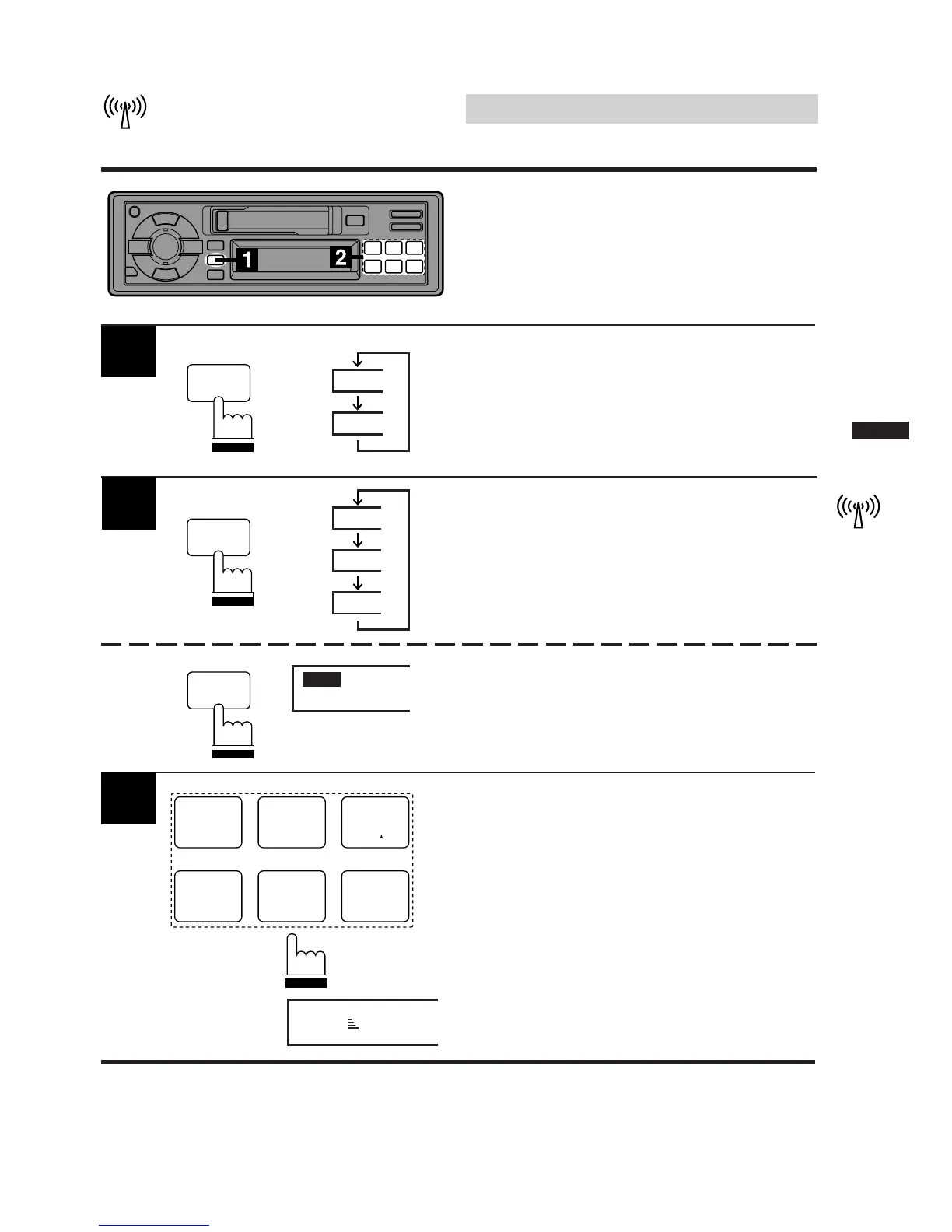
Press the SOURCE button until radio frequency
appears in the display.
TAPE
90.1
SOURCE
1
Press the preset button containing the desired
radio station in memory. The Band, Preset
number and station frequency will be displayed.
F 1
F 2
AM
Press the D.A.P. button for at least 2 seconds
to select the D.A.P. band.
Press the BAND button repeatedly until the
desired band is displayed.
2
D.A.P.
BAND
PROG
D.A.P.
BAND
PROG
D.A.P.
B.SKIP
1
CT
4
P.S. DN
2
H
5
P.S. UP
3
M
6
F 1 90.1
1
3



 To Next Page