16
English
1
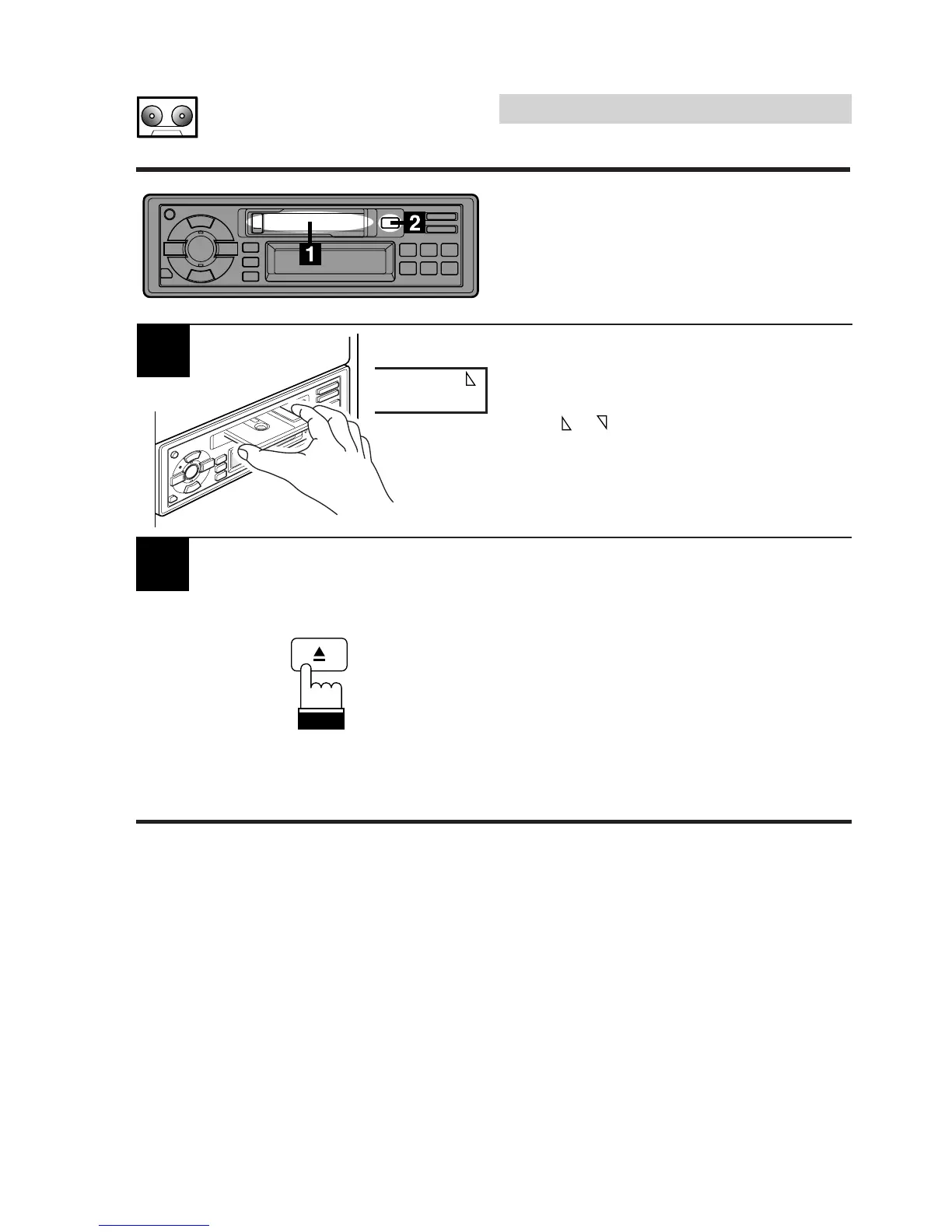
Insert a cassette tape into the slot with the open
side facing to the right. The player
automatically starts tape playback and the
display shows "TAPE" and the tape side being
played ( or ).
When the end of the tape is reached, the player
automatically reverses the tape direction and
plays the other side of the tape.
Cassette Player
Operation
Inserting/Ejecting Cas-
sette Tape
TAPE
Press the Eject (c) button when you want to
eject the cassette tape.
Notes:
1. When power is turned off or the front panel is
removed, the full-logic mechanism will
automatically switch to the PAUSE mode.
2. Auto Metal
When a metal cassette tape is inserted, the
player automatically adjusts the equalization
for metal or any other high bias tape for
optimum sound.
The display shows "MTL."



 To Next Page