53-EN
You can set the Subwoofer level when a Subwoofer is connected.
Setting item: SubW. LEVEL
Setting contents: 0 to 15 (Initial setting: 0)
• If the Subwoofer setting is “Off”, the setting cannot be set.
The subwoofer output phase is toggled Subwoofer Normal (0°) or
Subwoofer Reverse (180°).
Setting item: SubW. Phase
Setting contents: 0° (Initial setting) / 180°
• If the Subwoofer setting is “Off”, the setting cannot be set.
Setting the MX (Media Xpander)
[Media Xpander] is selected on the Sound setup menu in step 3. Refer
to “Sound Setup Operation” (page 52). When the currently playing
source is AM radio band (MW/LW), this option is not available.
MX (Media Xpander) makes vocals or instruments sound distinct
regardless of the music source. The FM radio, DAB, CD, USB memory
and iPod/iPhone, will be able to reproduce the music clearly even in
cars with a lot of road noise.
Setting item: Media Xpander
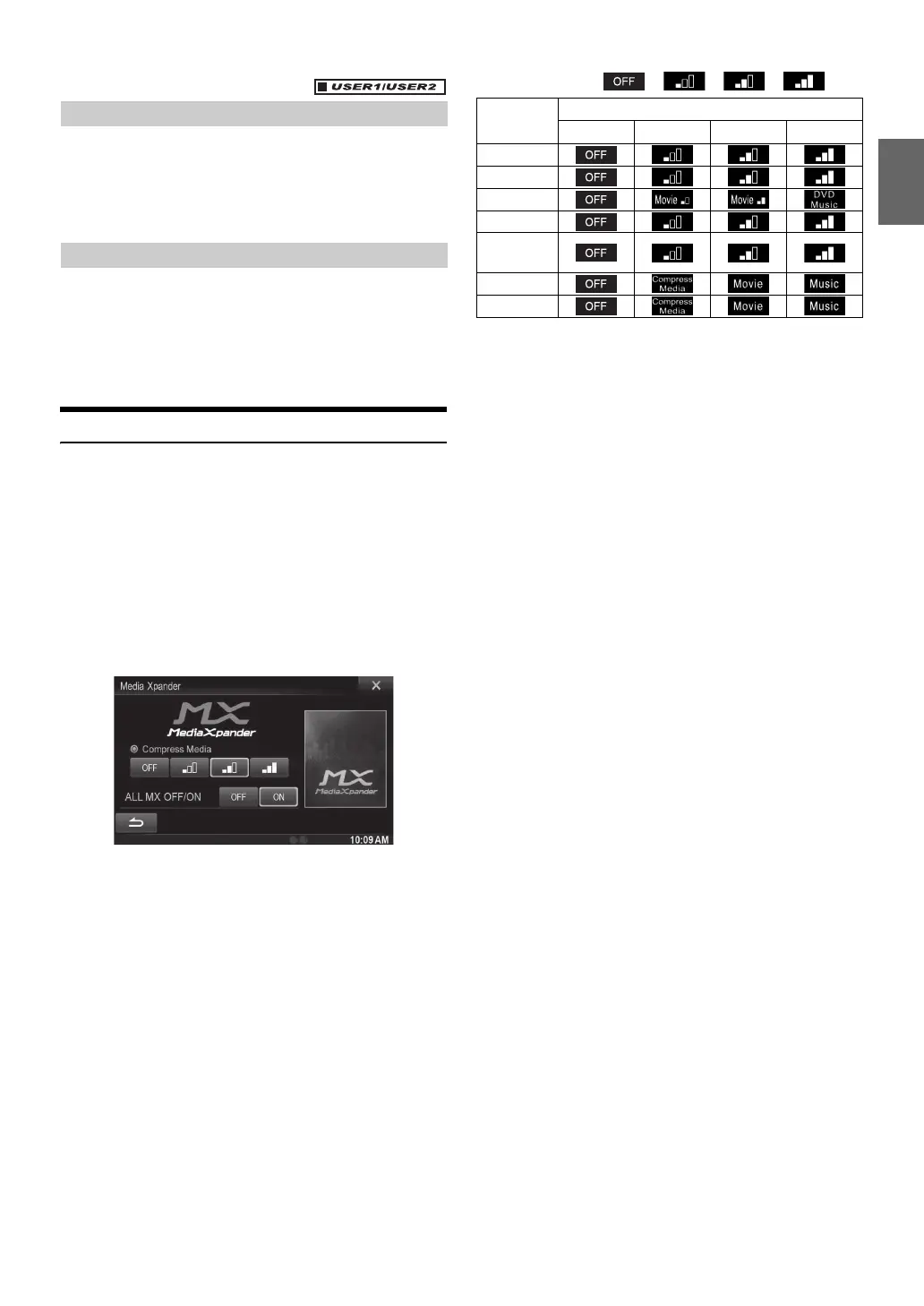
1
Touch [ON] of “ALL MX OFF/ON” in the MX setup
screen.
2
Touch any of [] [] [] [].
• The MX setting can be performed only when a source is currently
selected.
• MP3/WMA/AAC/iPod/USB/DivX
®
/BLUETOOTH Audio/Car mode/
Mirror Mode correspond to MX Compress Media.
MX FM
The medium to high frequencies become more clear, and
produces well balanced sound in all the bands.
MX DAB
The medium to high frequencies become more clear, and
produces well balanced sound in all the bands.
MX DVD
(Movie)
The dialog portion of the video is reproduced more clearly
(DVD Music)
This disc contains a large quantity of data such as music clip.
MX uses this data to reproduce the sound accurately.
MX CD
CD mode processes a large quantity of data. This data is used
to reproduce the sound cleanly by making use of the data
quantity.
MX CMPM
This corrects information that was omitted at the time of
compression. This reproduces a well-balanced sound close to
the original.
MX HDMI
Choose the MX mode (Compress Media, Movie, or Music) that
corresponds to the media connected.
MX AUX/AUX3
Choose the MX mode (Compress Media, Movie, or Music) that
corresponds to the media connected.
• To cancel MX mode for all music applications, set MX to “OFF” in
step 1.
• Each music applications, such as FM radio, CD, and
MP3/WMA/AAC can have its own MX setting.
• Setting to MX sets MX mode of each music applications to “OFF”.
• There is no MX mode for MW, LW radio.
• The function is inoperable when Defeat is set to “On”.
Adjusting the Subwoofer Level
Setting the Subwoofer Phase
Media
Level
OFF 1 2 3
FM
DAB
DVD
CD
Compress
Media
HDMI
AUX/AUX3



 To Next Page