16 | P a g e
© Copyright 2012 Altech UEC (Pty) Ltd
8 DSR4639 DECODER FEATURES AND MENU
8.1 I-PLATE
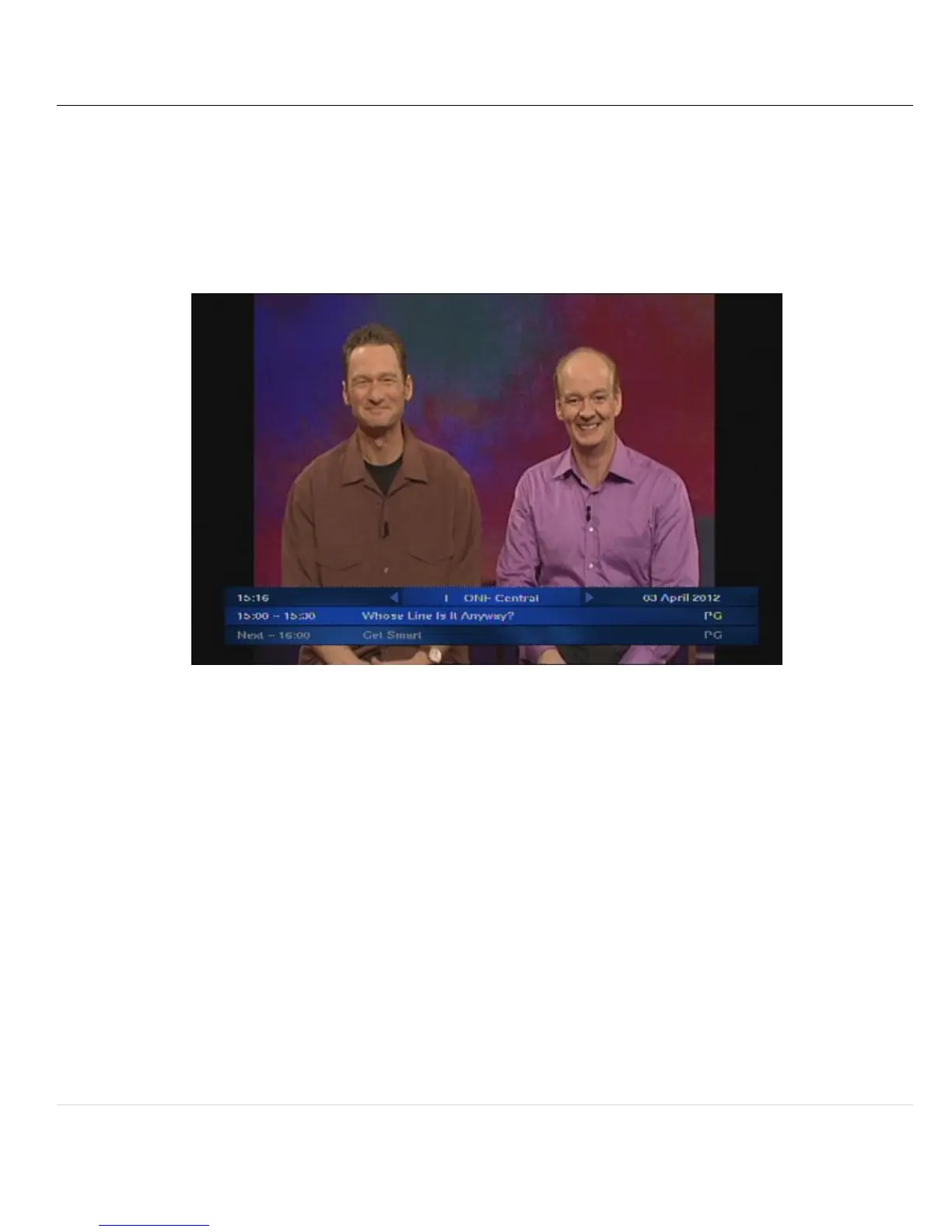
The information plate (I-Plate) displays information about the current and next event at the
bottom of the screen.
The I-Plate can be launched by pressing the ”I” button on the remote.
8.2 CHANGING CHANNELS
8.2.1 To change to a different channel either:
8.2.2 Press the “CH+” or “CH-” buttons on the remote to change the channel to the
next/previous channel respectively, or
8.2.3 When the I-Plate is open, press the “LEFT/RIGHT” arrow buttons on the remote.
This allows you to browse the program information of the other channels without
changing the channel you are presently viewing. Press OK to switch to that
channel
NOTE: The I-Plate will only timeout when changing channels from the “CH+” or “CH-” button. If
you have manually opened the I-Plate, the “EXIT” button must be pressed to remove it.


 To Next Page