18 | P a g e
© Copyright 2012 Altech UEC (Pty) Ltd
8.6 HOW TO DELETE A REMINDER
8.6.1 Pressing the “OK’ a third time on the program will remove the “A” next to the
program name. The reminder has been deleted.
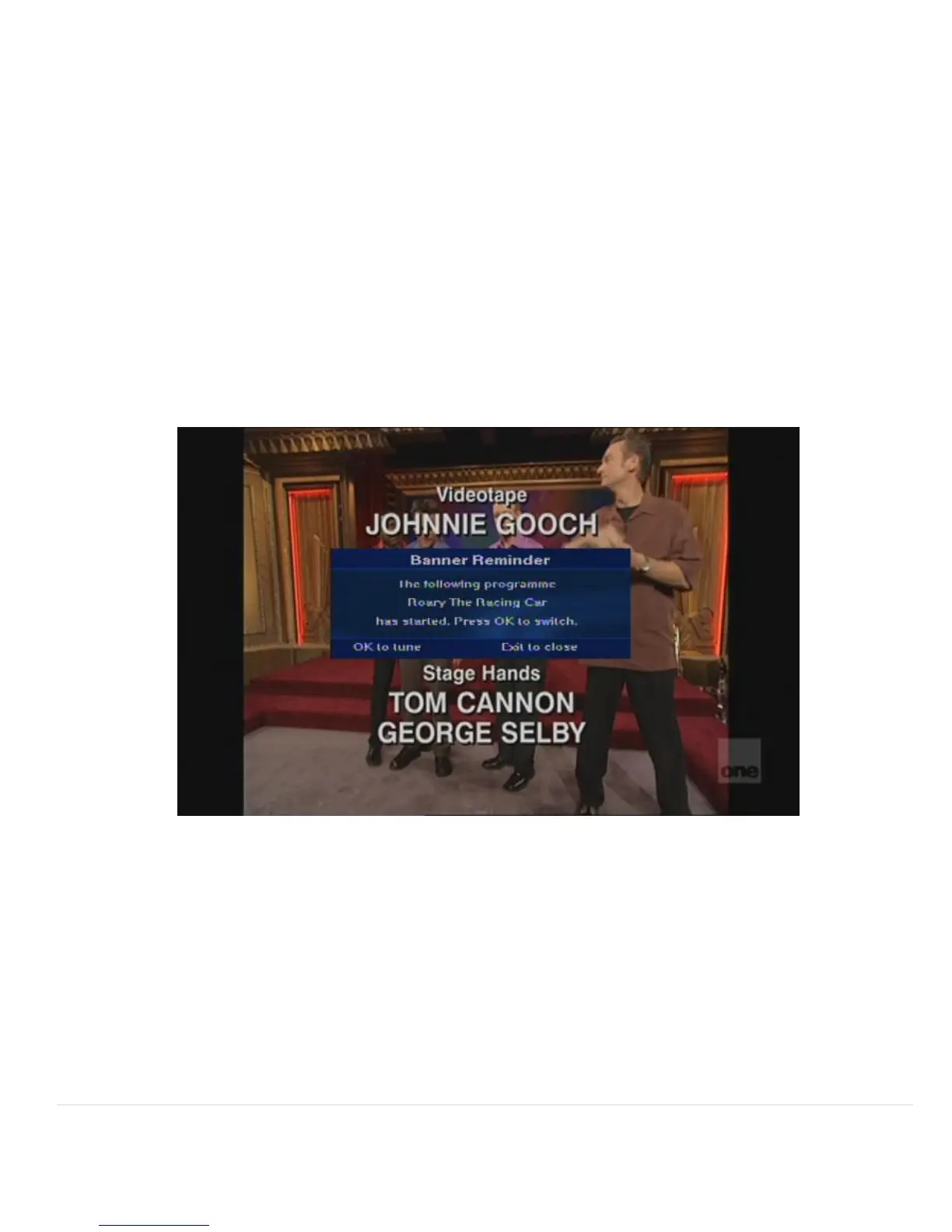
8.7 EXAMPLE OF A BANNER REMINDER
8.7.1 A banner reminder will display a pop-up 30 seconds before the start of the
programme for which the reminder is set.
8.7.2 Pressing OK when this message is on the screen will change the channel to the
reminder program.
Pressing EXIT will remove the message
8.8 EXAMPLE OF AN AUTO-TUNE REMINDER
8.8.1 An Auto-tune reminder tunes the decoder to the reminder channel when the
programme starts.
8.8.2 There is a 5 second alert before changing channel so that you can cancel the
reminder if you are watching something else.
8.8.3 Cancel the reminder by pressing the “EXIT” button.
8.8.4 Tune immediately to the selected programme by pressing the “OK” button, if you
do nothing, the decoder will automatically tune to the reminder channel.


 To Next Page