17 | P a g e
© Copyright 2012 Altech UEC (Pty) Ltd
8.3 I-PLATE EXTENDED MODE
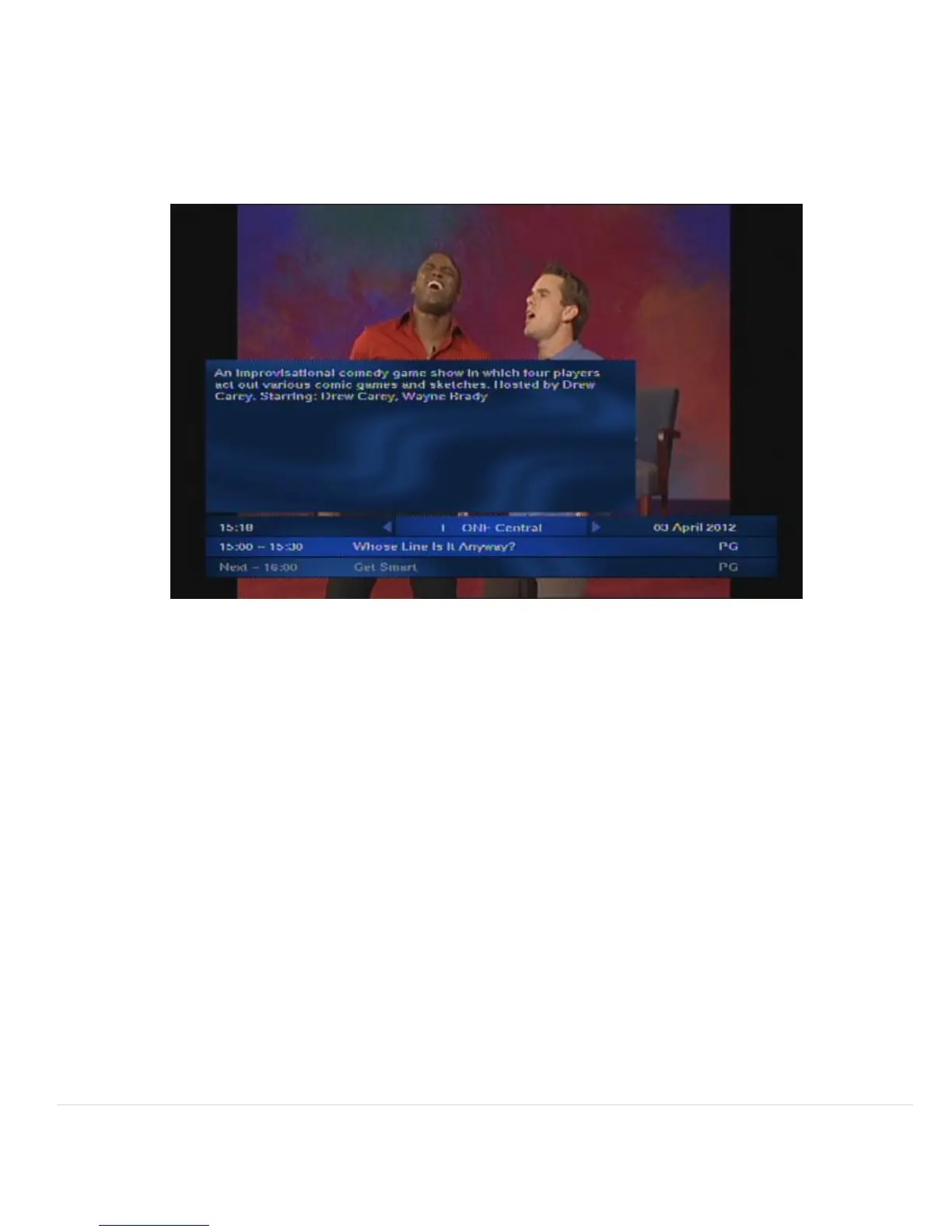
The extended I-Plate displays a short description about the currently selected I-Plate
programme, see screen below
8.4 REMINDER POPUP
There are two types of reminders, a banner reminder and an Auto-tune reminder. Reminders
are used to notify you when a program is about to start.
8.5 HOW TO SET A REMINDER
8.5.1 To set a reminder, highlight the program you want to be reminded about using
either the I-plate or the TV Guide. Press the “OK” button.
8.5.2 “B” will appear next to the program name. This indicates a banner reminder has
been set.
8.5.3 Pressing the “OK’ button again will change the “B” to an “A” next to the program
name. This indicates an Auto tune reminder has been set.
FOR ASSISTANCE EMAIL - SUPPORT@UEC.COM.AU


 To Next Page