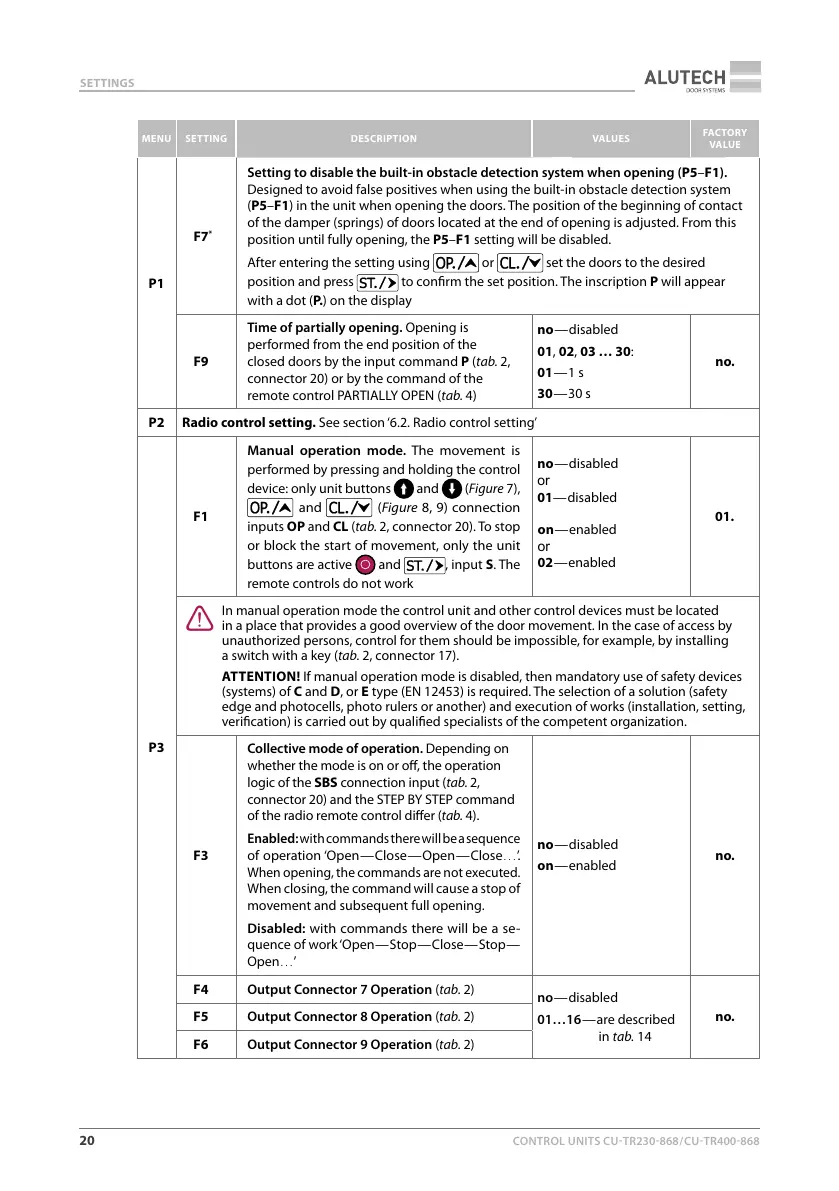
CONTROL UNITS UTR230868 / UTR4008682020
SET
TINGS
MENU SETTING DESCRIPTION VAL
UES
FACTORY
VALUE
P1
F7
*
Setting t
o disablethe built-in obstacle detection system when opening (P5–F1).
Designed to avoid false positives when using the built-in obstacle detection system
(P5–F1) in the unit when opening the doors. The position of the beginning of contact
of the damper (springs) of doors located at the end of opening is adjusted. From this
position until fully opening, the P5–F1 setting will be disabled.
After entering the setting using
or set the doors to the desired
position and press to conrm the set position. The inscription P will appear
with a dot (P. ) on the displa
y
F9
Time of partially opening. Opening is
performed from the end position of the
closed doors by the input command P (tab.2,
connector 20) or by the command of the
remote control PARTIALLY OPEN (tab.4)
no — disabled
01, 02, 03 … 30:
01 — 1 s
30 — 30 s
no.
P2 Radio control setting. See section ‘6.2. Radio control setting’
P3
F1
Manual operation mode. The movement is
performed by pressing and holding the control
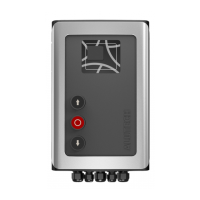
device: only unit buttons
and (Figure7),
and (Figure8, 9) connection
inputs OP and CL (tab.2, connector 20). To stop
or block the start of movement, only the unit
buttons are active
and , inputS. The
remot
e controls do not work
no
— disabled
or
01— disabled
on
— enabled
or
02 — enabled
01.
Y
In manual oper
ation mode the control unit and other control devices must be located
in aplace that provides a good overview of the door movement. In the case of access by
unauthorized persons, control for them should be impossible, for example, by installing
aswitch with a key (tab.2, connector 17).
ATTENTION! If manual operation mode is disabled, then mandatory use of safety devices
(systems) of C and D, or E type (EN12453) is required. The selection of a solution (safety
edge and photocells, photo rulers or another) and execution of works (installation, setting,
verication) is carried out by qualied specialists of the competent organization.
F3
Collective mode of operation. Depending on
whether the mode is on or o, the operation
logic of the SBS connection input (tab.2,
connector 20) and the STEP BY STEP command
of the radio remote control dier (tab.4).
Enabled: with commands there will be a sequence
of operation ‘Open — Close — Open — Close…’.
When opening, the commands are not executed.
When closing, the command will cause a stop of
movement and subsequent full opening.
Disabled: with commands there will be a se-
quence of work ‘Open — Stop — Close — Stop —
Open…’
no — disabled
on — enabled
no.
F4 Output Connector 7 Operation (tab.2)
no — disabled
01…16 — are described
in tab.14
no.F5 Output Connector 8 Operation (tab.2)
F6 Output Connector 9 Operation (tab.2)



 To Next Page