CONTROL UNITS UTR230868 / UTR4008682626
SETTINGS
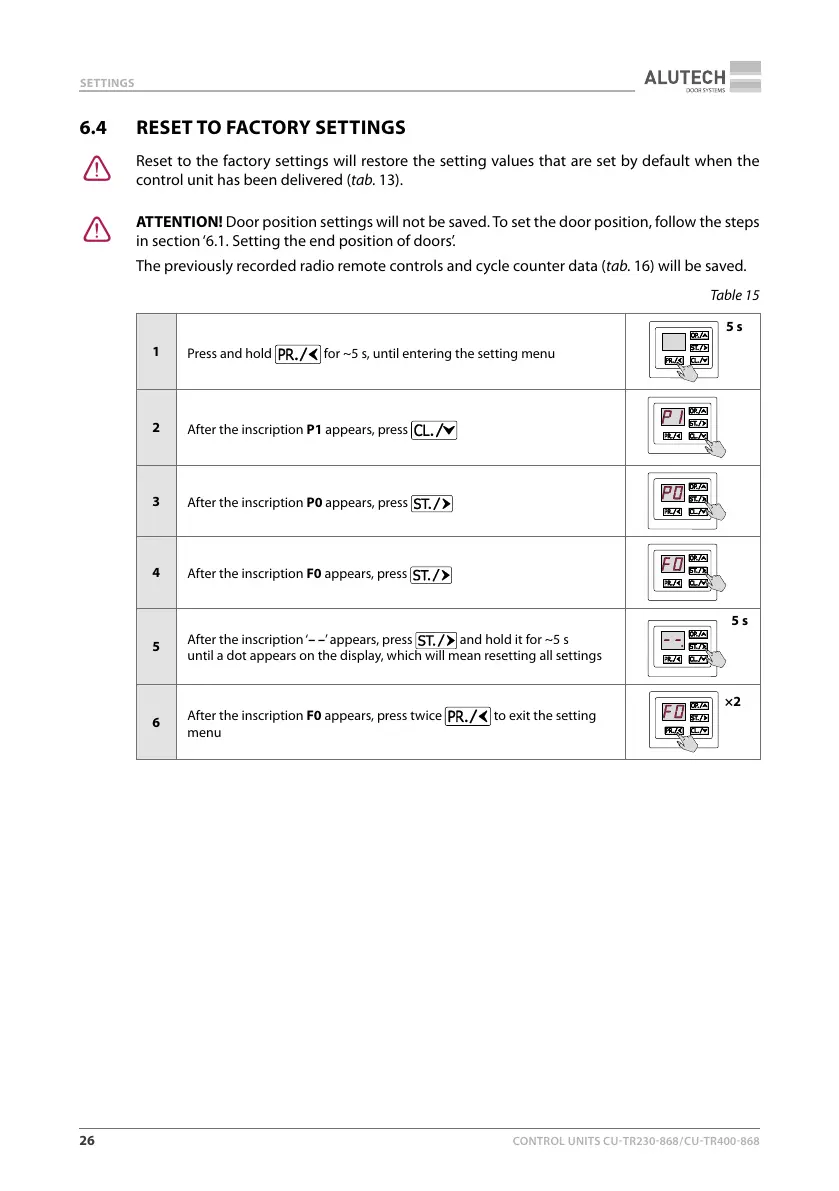
6.4 RESET TO FACTORY SETTINGS
Y
Reset to the factory settings will restore the setting values that are set by default when the
control unit has been delivered (tab.13).
Y
ATTENTION! Door position settings will not be saved. To set the door position, follow the steps
in section ‘6.1. Setting the end position of doors’.
The previously recorded radio remote controls and cycle counter data (tab.16) will be saved.
Table15
1
Press and hold
for ~5 s, until entering the setting menu
5 s
2
After the inscription P1 appears, press
3
After the inscription P0 appears, press
4
After the inscription F0 appears, press
5
After the inscription ‘– –’ appears, press
and hold it for ~5 s
until adot appears on the display, which will mean resetting all settings
5 s
6
After the inscription F0 appears, press twice
to exit the setting
menu
×2



 To Next Page