CONTROL UNITS UTR230868 / UTR400868 1919
SETTINGS
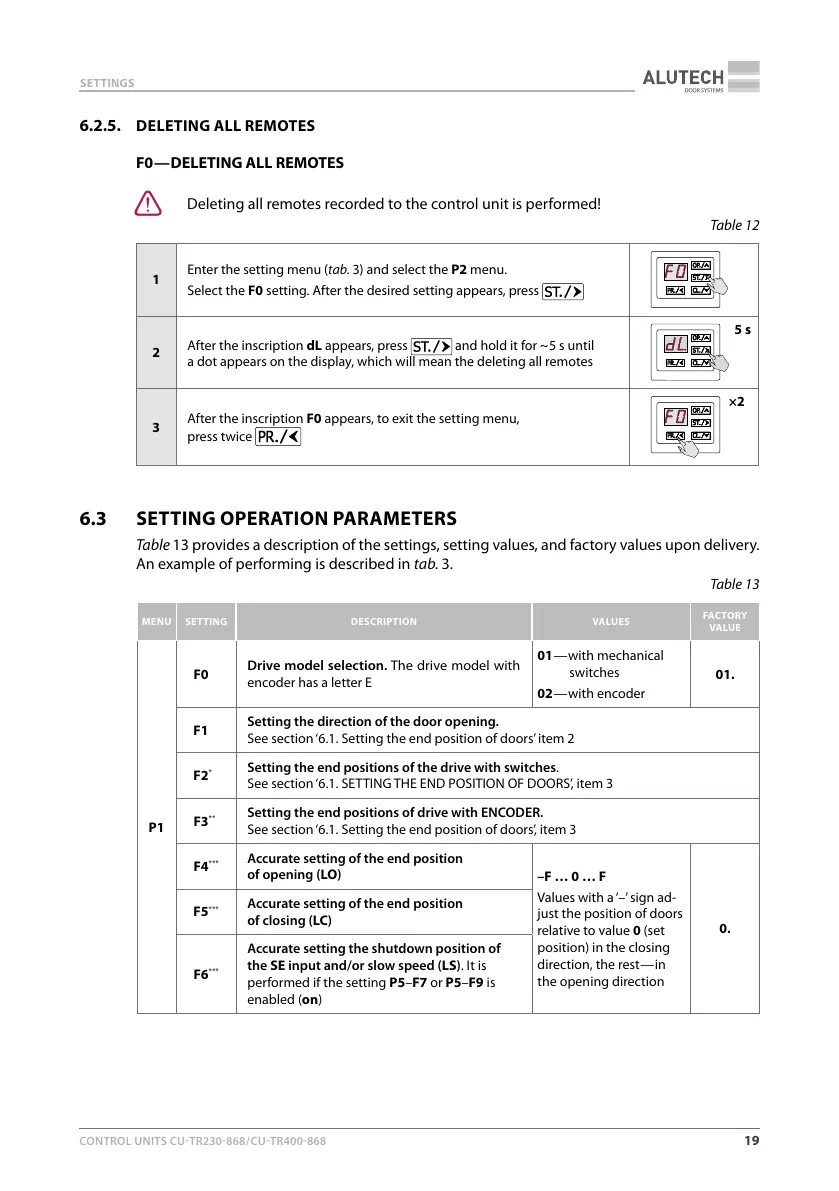
6.2.5. DELETING ALL REMOTES
F0 — DELETING ALL REMOTES
Y
Deleting all remotes recorded to the control unit is performed!
Table12
1
Enter the setting menu (tab.3) and select the P2 menu.
Select the F0 setting. After the desired setting appears, press
2
After the inscription dL appears, press
and hold it for ~ 5 s until
adot appears on the display, which will mean the deleting all remotes
5 s
3
A
fter the inscription F0 appears, to exit the setting menu,
press twice
×2
6.3 SETTING OPERATION PARAMETERS
Table13 provides a description of the settings, setting values, and factory values upon delivery.
An example of performing is described in tab.3.
Table13
MENU SETTING DESCRIPTION VALUES
FACTORY
VALUE
P1
F0
Drive model selection. The drive model with
encoder has a letter E
01 — with mechanical
switches
02 — with encoder
01.
F1
Setting the direction of the door opening.
See section ‘6.1. Setting the end position of doors’ item 2
F2
*
Setting the end positions of the drive with switches.
See section ‘6.1. SETTING THE END POSITION OF DOORS’, item 3
F3
**
Setting the end positions of drive with ENCODER.
See section ‘6.1. Setting the end position of doors’, item3
F4
***
Accurate setting of the end position
ofopening (LO)
–F … 0 … F
Values with a ‘–’ sign ad-
just the position of doors
relative to value 0 (set
position) in the closing
direction, the rest — in
the opening direction
0.
F5
***
Accurate setting of the end position
ofclosing (LC)
F6
***
Accurate setting the shutdown position of
the SE input and/or slow speed (LS). It is
performed if the setting P5–F7 or P5–F9 is
enabled (on)



 To Next Page