CONTROL UNITS UTR230868 / UTR4008681212
SETTINGS
6.2 RADIO CONTROL SETTING
Y
Before programming the remote controls for the rst time, clear the memory of the control
unit from the previously recorded radio remote controls. If the remote control is lost, in order to
prevent unauthorized access, it is necessary to delete the number of the lost remote control from
the memory. If the number of the lost remote control is unknown, then delete all the remote
control numbers and re-record all the remote controls.
Settings of menu P2:
F1…F3 — remote control command(s) record (tab.5, 6)
F4, F5 — changing the control command(s) of the recorded remote control (tab.7, 8)
F6 — determination of the remote control numbers (tab.9)
F7 — determination of the recorded remote number (tab.10)
F8, F9 — remote control deleting (tab.10, 11)
F0 — deleting all remotes (tab.12)
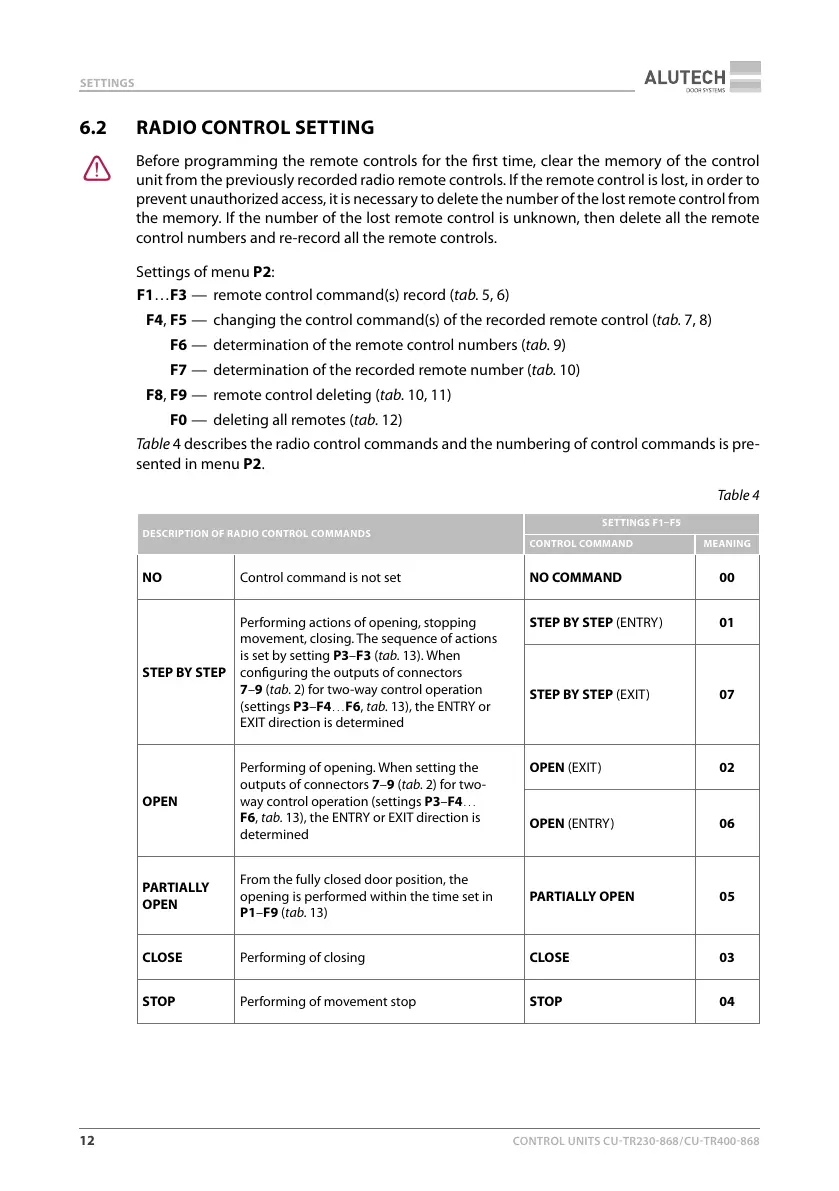
Table4 describes the radio control commands and the numbering of control commands ispre-
sented in menu P2.
Table4
DESCRIPTION OF RADIO CONTROL COMMANDS
SETTINGS F1F5
CONTROL COMMAND MEANING
NO Control command is not set NO COMMAND 00
STEP BYSTEP
Performing actions of opening, stopping
movement, closing. The sequence of actions
is set by setting P3–F3 (tab.13). When
conguring the outputs of connectors
7–9 (tab.2) for two-way control operation
(settingsP3–F4…F6, tab.13), the ENTRY or
EXIT direction is determined
STEP BYSTEP (ENTRY) 01
STEP BYSTEP (EXIT) 07
OPEN
Performing of opening. When setting the
outputs of connectors 7–9 (tab.2) for two-
way control operation (settings P3–F4…
F6, tab.13), the ENTRY or EXIT direction is
determined
OPEN (EXIT) 02
OPEN (ENTRY) 06
PARTIALLY
OPEN
From the fully closed door position, the
opening is performed within the time set in
P1–F9 (tab.13)
PARTIALLY OPEN 05
CLOSE Performing of closing CLOSE 03
STOP Performing of movement stop STOP 04



 To Next Page