SERVICING
30
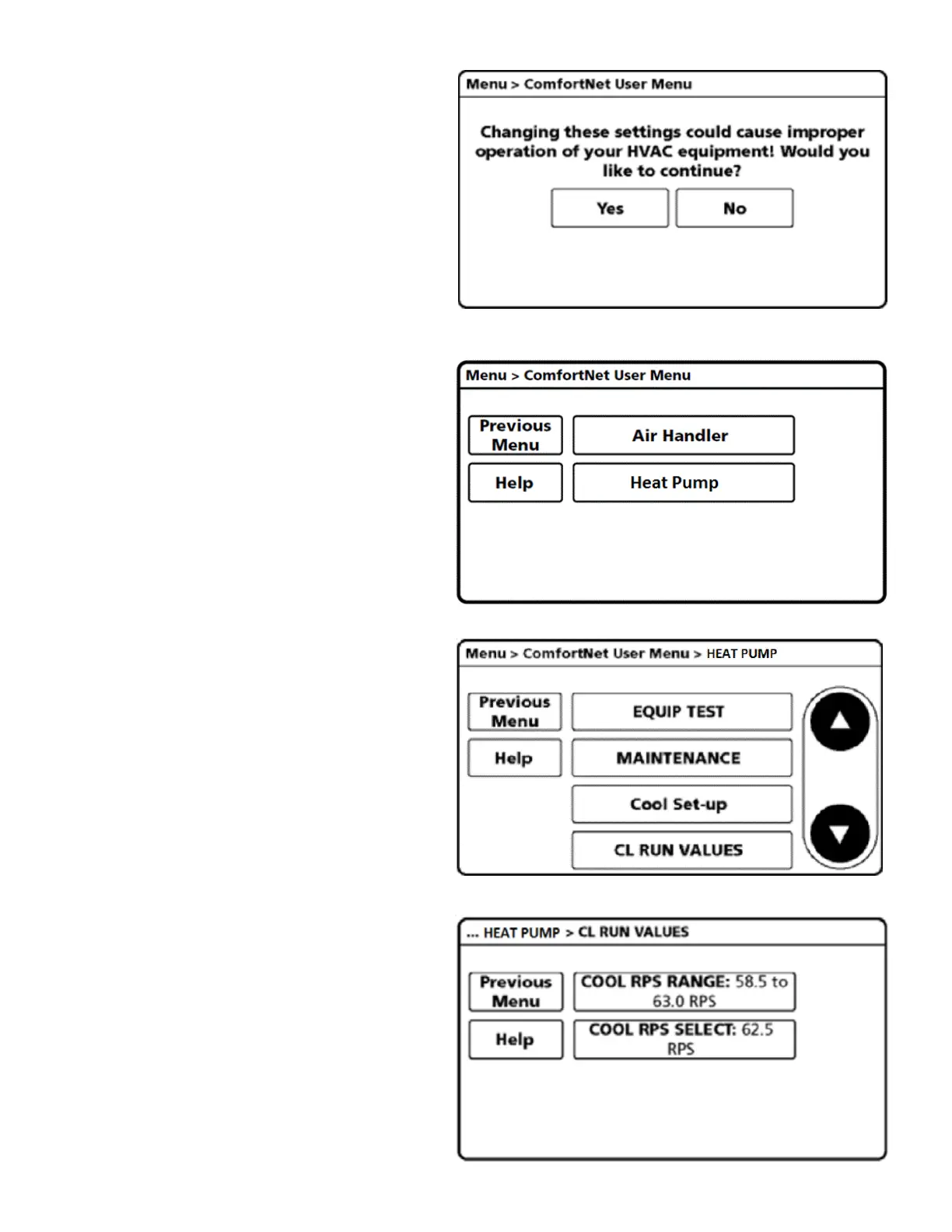
4. Select YES to continue.
5. Select HEAT PUMP.
6. Select
CL RUN VALUES: for cooling mode
HT RUN VALUES: for heating mode
7. Select COOL/HEAT RPS RANGE.
Press COOL RPS RANGE (for cooling mode) or HEAT RPS
RANGE (heating mode) to select the range in which the
desired Maximum compressor speed falls.

 To Next Page
 Loading...