FEATUREGUIDE
This manual covers several models. Your model may have some or all of the items listed. Refer to this manual or the Customer Care section
of our website at www.amanacanada.ca for more detailed instructions.
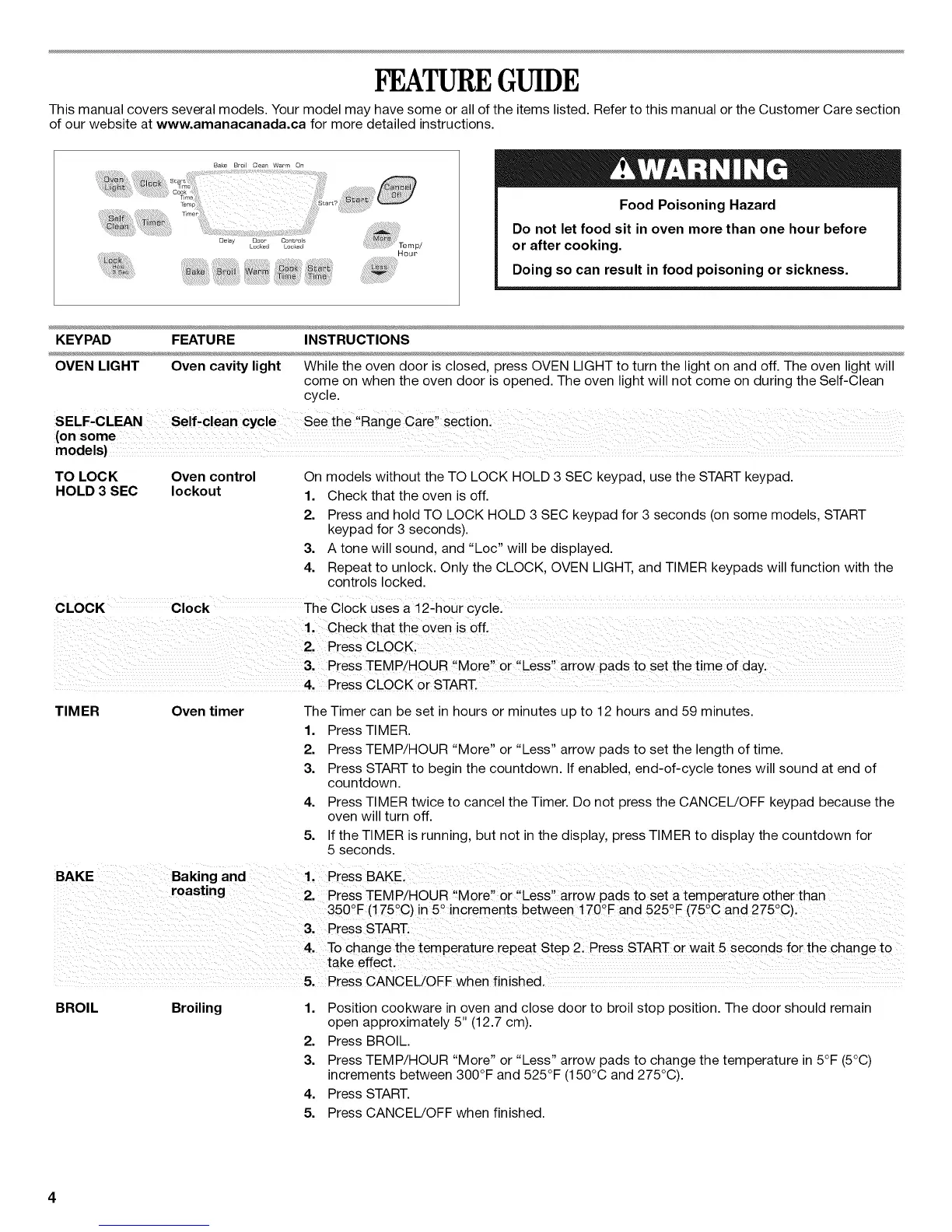
Delay Doom Controls
Locked Locked
Hour
Food Poisoning Hazard
Do not let food sit in oven more than one hour before
or after cooking.
Doing so can result in food poisoning or sickness.
KEYPAD FEATURE INSTRUCTIONS
OVEN LIGHT Oven cavity light While the oven door is closed, press OVEN LIGHT to turn the light on and off. The oven light will
come on when the oven door is opened. The oven light will not come on during the Self-Clean
cycle.
TO LOCK Oven control
HOLD 3 SEC lockout
On models without the TO LOCK HOLD 3 SEC keypad, use the START keypad.
1. Check that the oven is off.
2. Press and hold TO LOCK HOLD 3 SEC keypad for 3 seconds (on some models, START
keypad for 3 seconds).
3. A tone will sound, and "Loc" will be displayed.
4. Repeat to unlock. Only the CLOCK, OVEN LIGHT, and TIMER keypads will function with the
controls locked.
CLOCK Clock The Clock uses a 12-hour cYclel
TIMER Oven timer The Timer can be set in hours or minutes up to 12 hours and 59 minutes.
1. Press TIMER.
2. Press TEMP/HOUR "More" or "Less" arrow pads to set the length of time.
3. Press START to begin the countdown. If enabled, end-of-cycle tones will sound at end of
countdown.
4. Press TIMER twice to cancel the Timer. Do not press the CANCEL/OFF keypad because the
oven will turn off.
5. If the TIMER is running, but not in the display, press TIMER to display the countdown for
5 seconds.
BAKE Baking and 1' Piess BAKE i
roast ng
i PressTEMPiHOUR More or !Less arrow pads to seta temperature other than
350°F(!75 C)in5 increments between 170 Fond525 F(75 Cand275 C).
3' Press START.
4. To Change the temperature iepeat step 2! Press START or wait 5 seconds for the change to
take effect,
5, Press CANCEL!OFFwhen finished,
BROIL Broiling
1,
2.
3.
4.
Position cookware in oven and close door to broil stop position. The door should remain
open approximately 5" (12.7 cm).
Press BROIL.
Press TEMP/HOUR "More" or "Less" arrow pads to change the temperature in 5°F (5°C)
increments between 300°F and 525°F (150°C and 275°C).
Press START.
5. Press CANCEL!OFF when finished.


 To Next Page