Need help?
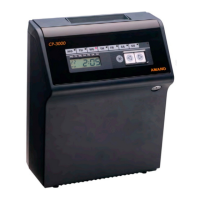
Do you have a question about the Amano CP-5000 and is the answer not in the manual?
Procedures for resetting the unit to default settings and using the reset button.
How to access and enter the unit's programming mode.
Instructions on how to input and save data within the programming menus.
A reference table detailing various programming options and their settings.
Covers fundamental programming tasks like setting time, date, and password.
Steps to set the current year, month, and day for accurate timekeeping.
Procedure to set the current hour and minute in 24-hour format.
Creating custom schedules for buzzer, signal, and ink color.
Explains the capabilities of the weekly scheduling features.
Step-by-step guide to set up recurring events and actions.
Modifying existing weekly schedules.
Procedure for replacing the ink ribbon when it's depleted or faulty.
Guidance on replacing the battery that preserves time and date settings.
Troubleshooting issues related to printing quality and ribbon errors.
Resolving problems when the time card is not read correctly.
Addresses problems with card feeding, refusal, and blockage.
Troubleshooting problems related to overprinting and imprint position.
Overview of running diagnostic routines to check the CP-5000's condition.
Tests the functionality of the unit's LED indicators.
Verifies the operation of the Mode Switch and control keys.
Checks if all segments of the LCD display are functioning correctly.
 General
| Display Type | LCD |
|---|---|
| Time Format | 12/24 Hour |
| Battery Backup | Yes |
| Housing Material | Plastic |
| Mounting Options | Wall Mount |
| Mounting | Wall |
| Power Source | AC |

 To Next Page