CP-5000 User’s Guide 2-5
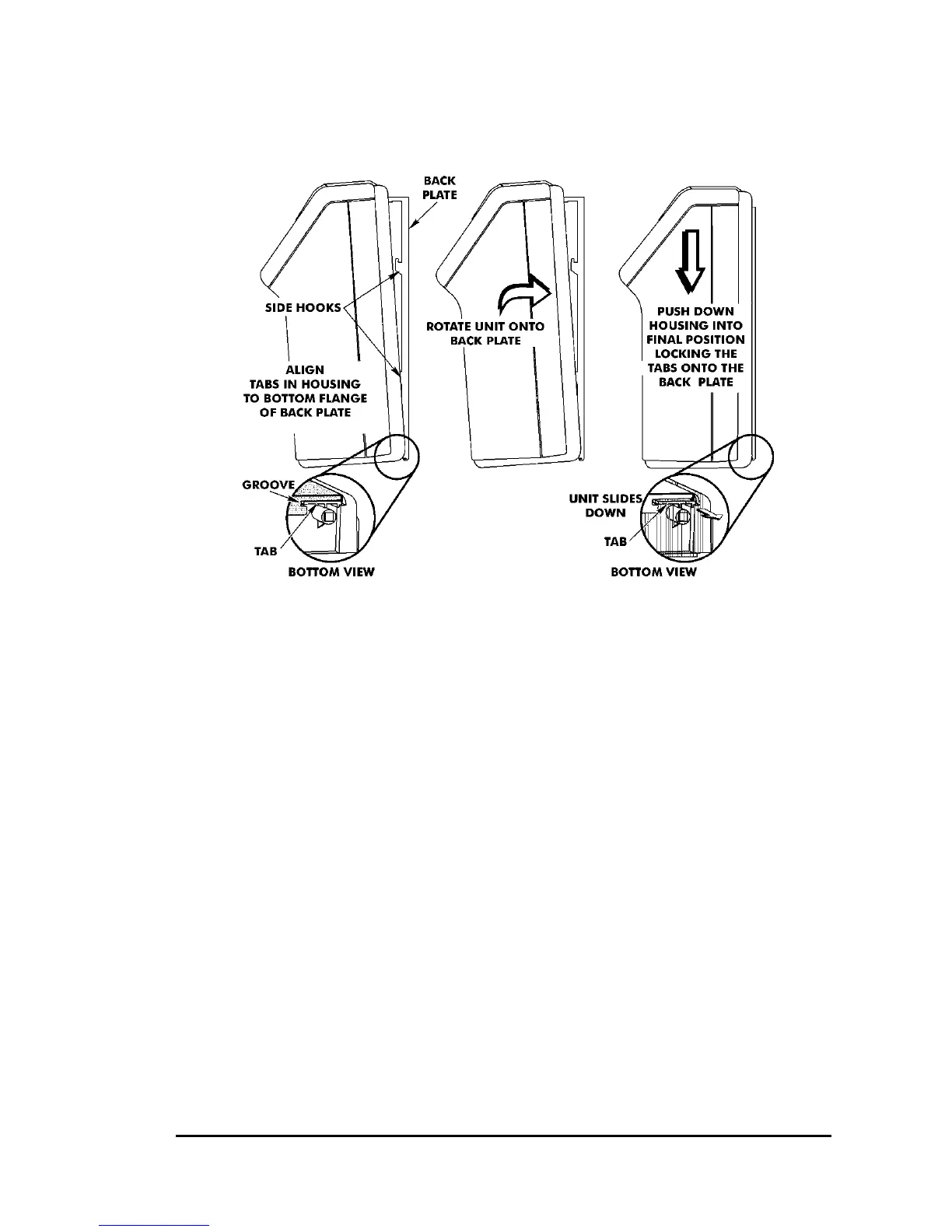
11. Carefully pivot the CP-5000 away from you onto the back plate until
its side hooks fit in the slots on the back of the unit. The upper flange
of the back plate should be aligned with the slot in the top of housing.
12. Install the two screws that secure the back plate to the unit. Make
sure you re-install the ground wire.
13. If you need to connect external signal wiring, or connect the battery,
do not replace the top cover or reconnect the power cord at this time.


 To Next Page