5-2 CP-5000 User’s Guide
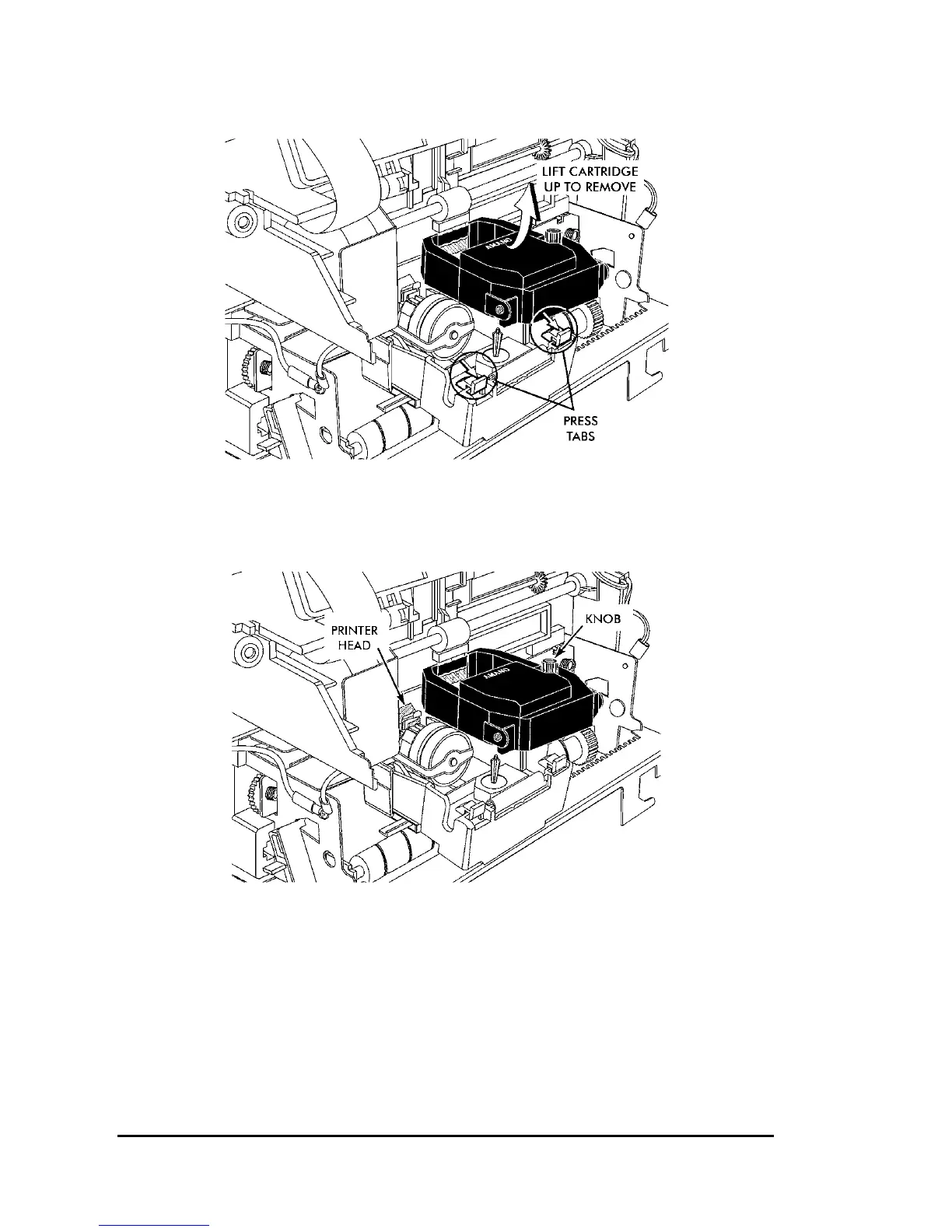
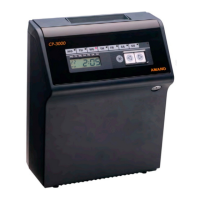
4. Insert a new ribbon between the ribbon guide and the printer head.
5. Press the ribbon down until it clicks into place. Turn the knob
clockwise to remove any slack in the ribbon.
6. Rotate the front panel down until it clicks in place.
7. Set the Mode Switch back to Normal and replace the top cover.
8. Insert a time card into the card throat to check the printing quality
and to confirm that you have installed the ribbon properly.


 To Next Page