How Your EASYHEAT Works
25
MBRELL
-
-
Precision Induction Heating
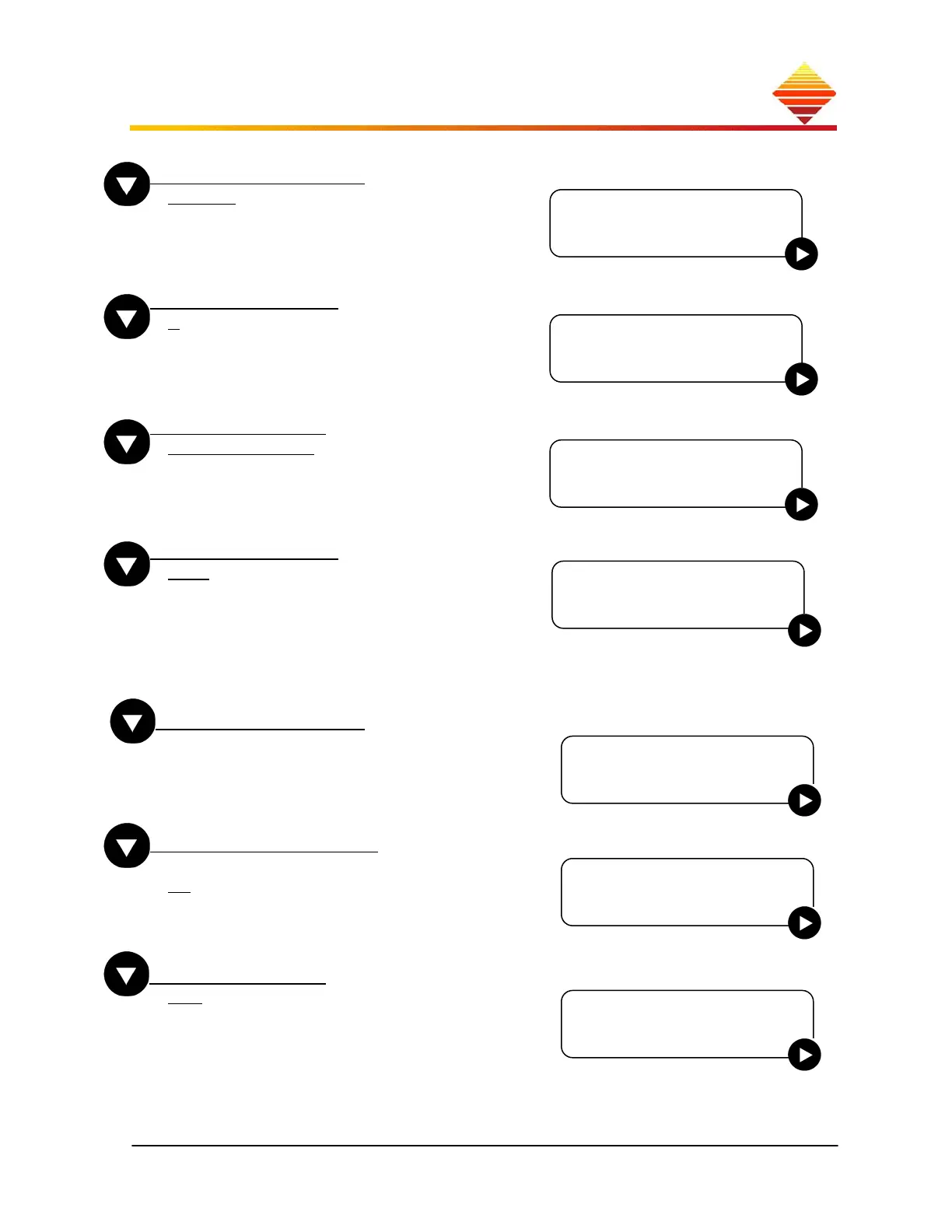
RS485 Baud rate
38400:Use to select baud rate to be used for
communications
RS485 Address
1: Use to select and ▼/▲ to adjust address. to
save. Address is used for communications.
See § 3. ID is the SYS ID, see § 1.5.
Com Protocol
Terminal Mode: Use to select. Terminal
Mode is the only mode currently supported.
Communication
None
RS485 4 Wire:
RS485 2 Wire:
RS485 4 wire and 2 wire are the only protocols
supported at this time
Use ► to select, then ▲ to enable. See §3, Serial
Communications
Contrast Adjust
To change the contrast of the displayed characters
(lower number = lighter characters)
Use ► to start, then ▲/▼ to adjust; setting is
retained.)
Lock Front Panel
To prevent changes to settings:
No
Yes: disables all buttons except START, STOP;
select and follow instructions, enter 39889 code.
To unlock, press while heat is off, re-enter code
Alarm Limits
Off: Future feature. Not supported at this time.
Communication
►None
Contrast Adjust
►To chan
e 47
Lock Front Panel
►No
Alarm Limits
►Off
RS485 Baud rate
►38400
RS485 Address
►1 ID=nnnnn
Com Protocol
►Terminal Mode



 To Next Page