Radio section
FUNCTIONS KEY
• Standby switch – allows setting standby mode on the device.
• ON/Off - turns on and off radio section on the device.
• BROWSE – browse the track info in the playlist (active in media mode only)
• P mode – change playing mode, repeat or random on/off (active in media mode
only)
• Replay – this key for future upgrade function, communicate with internet server.
• TUNE - - Previous track and backward FM stations search. (active in media
and FM radio mode only)
• - Play/pause (active in media mode only)
• TUNE + - Next track and forward FM stations search. (active in media and FM
radio mode only)
• Back – allows to go back in to previous menu page.
• CONTROL/SELECT – when the unit is in playing mode, turn the clockwise or
counterclockwise if you want to increase or decrease volume level. When the
unit is In MENU stage, turn this knob for navigation in menu and push for selection.
USB/SD players section
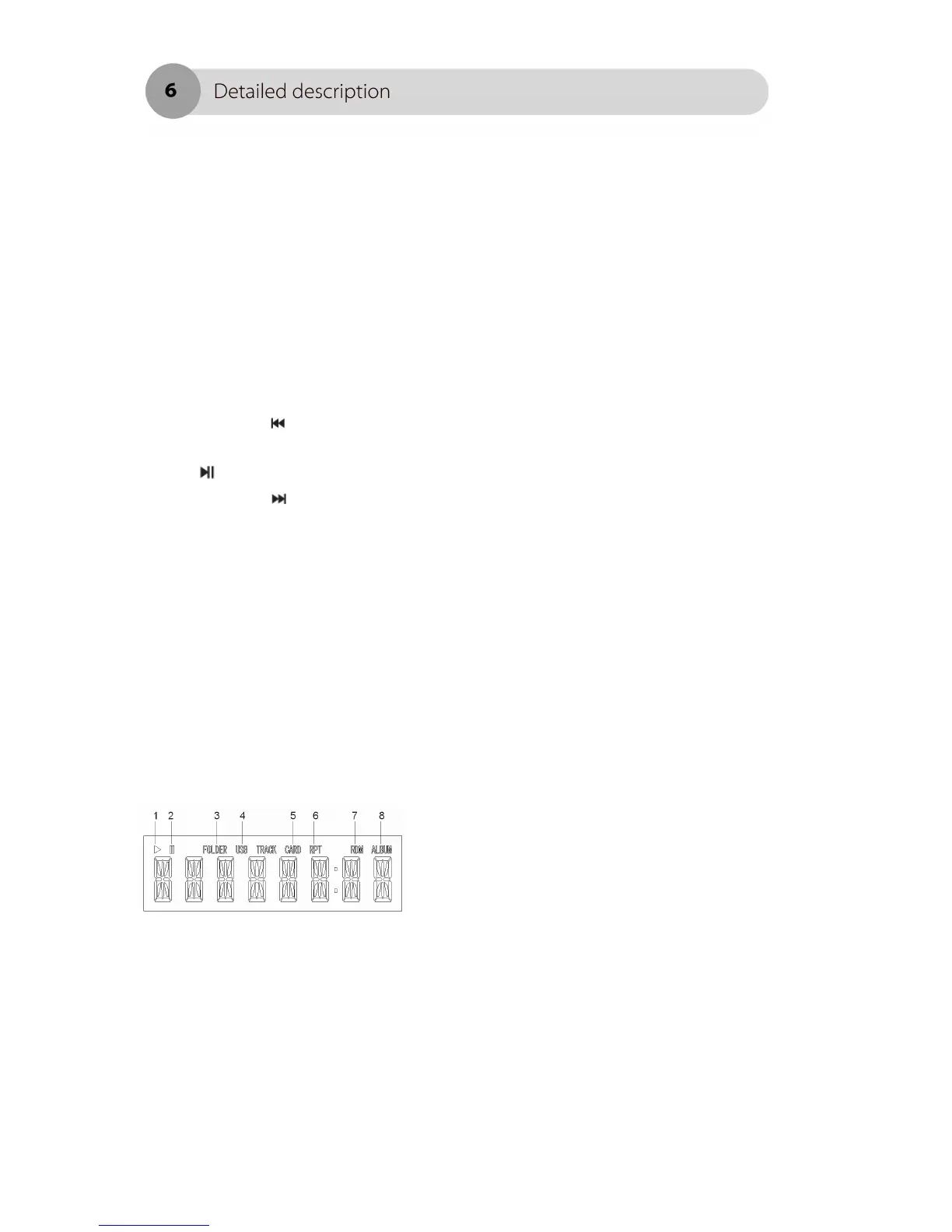
DISPLAY
1. Playing indicator 2. Pause indicator
3. Folder’s repeating indicator 4. Music source indicator
5. Music source indicator 6. Repeating indicator
7. Random playing indicator 8. An album indicator is active
in stop mode and indicates
a number of folders.



 To Next Page