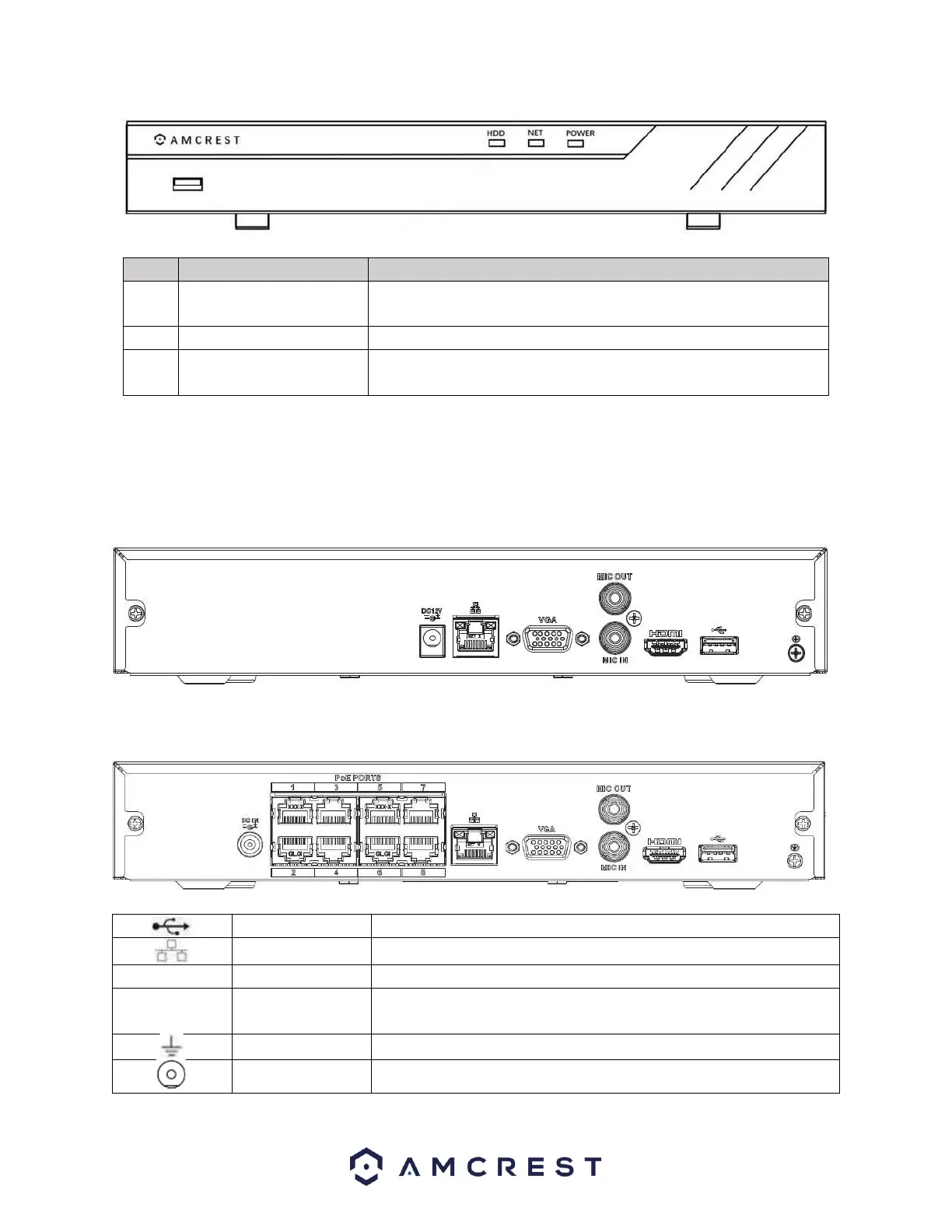
When a network error occurs or there is no network connection,
this light turns red.
When the NVR is on, this light remains on.
HDD abnormal
indicator light
When an HDD error occurs, or the HDD capacity is below the
specified threshold value, this light turns red.
Rear Panel
The rear panel of the NVR may differ model to model.
Non-PoE ports
PoE Ports.
USB 2.0 port. Connect a mouse, USB storage device, etc.
10M/100Mbps self-adaptive Ethernet port.
High-definition audio and video signal output port.
VGA video output port. Outputs analog video signal. This connects
to the monitor to view analog video.
DC12V, DC48V Depending on model.



 To Next Page