62
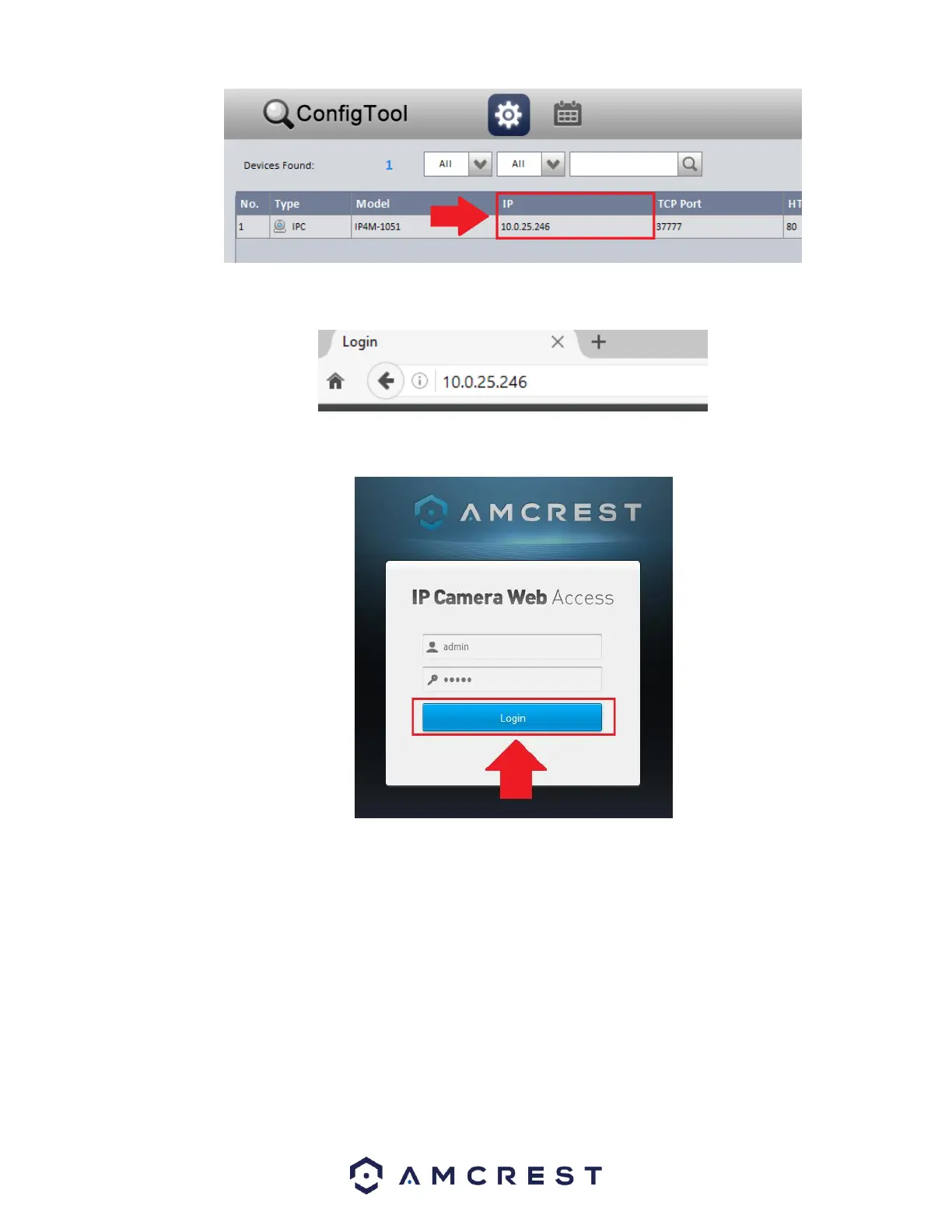
Enter this IP address into the Firefox web browser to load the web user interface.
In the web user interface, enter the login credentials for your device. If this is the first time accessing the device, the username
and password will both be admin. Click on Login.
If this is the first-time logging into your device, you will be prompted to modify the password for your device. To modify the
password, enter the new password you would like to use in the New Password field and confirm. The password used should be
between 8 and 32 characters long with a combination of letters and numbers. Click Ok when done to log into the web user
interface.















 To Next Page