63
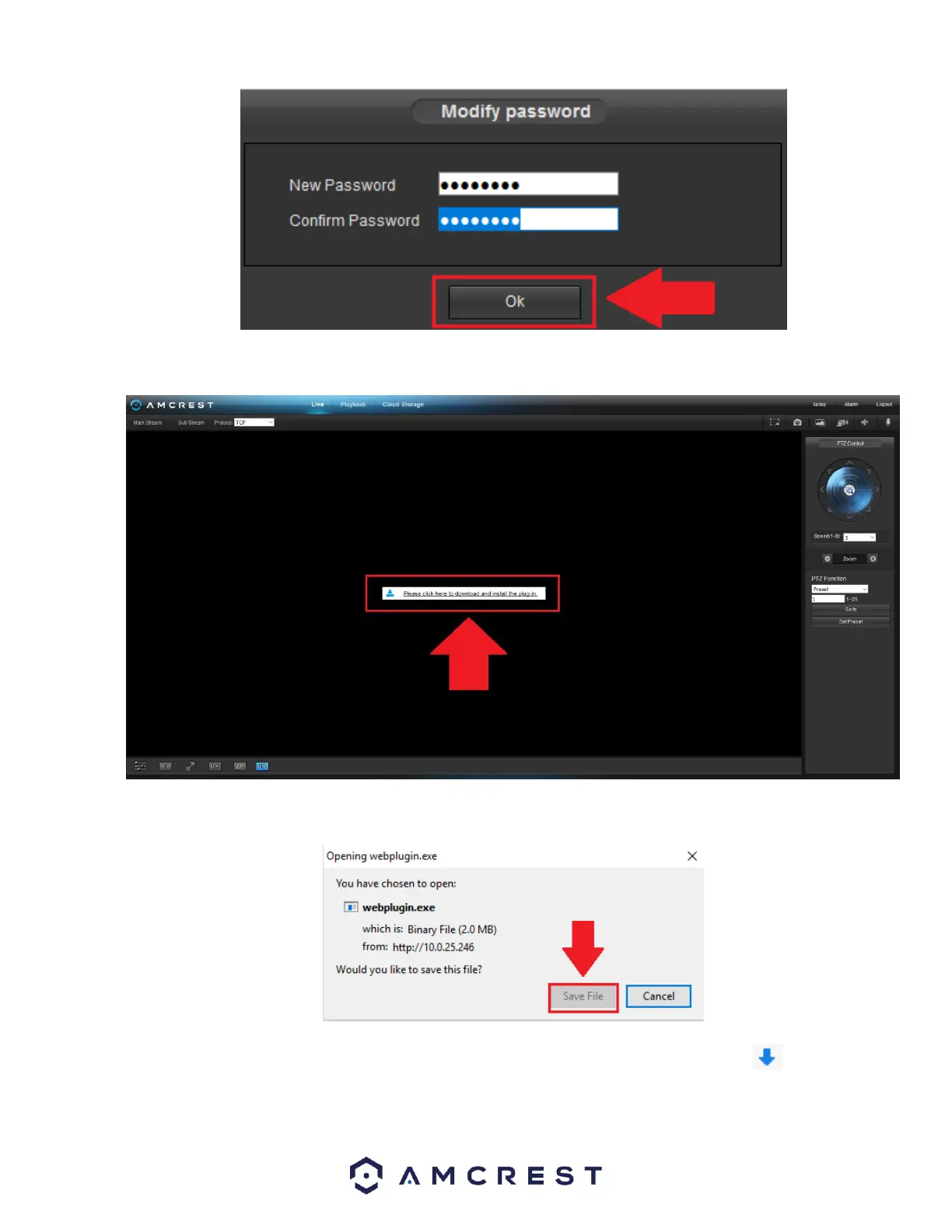
To view your device on the browser you will need to download the plugin. To download the plugin, click on the Please click here
to download and install the plugin prompt in the middle of the screen.
Click on Save File to being downloading the plugin.
The webplugin.exe file will save to your downloads folder. To install the plugin, click on the downloads icon and click on the
webplugin.exe to install the plugin on your computer.















 To Next Page