40
5.4.2.10. WiFi
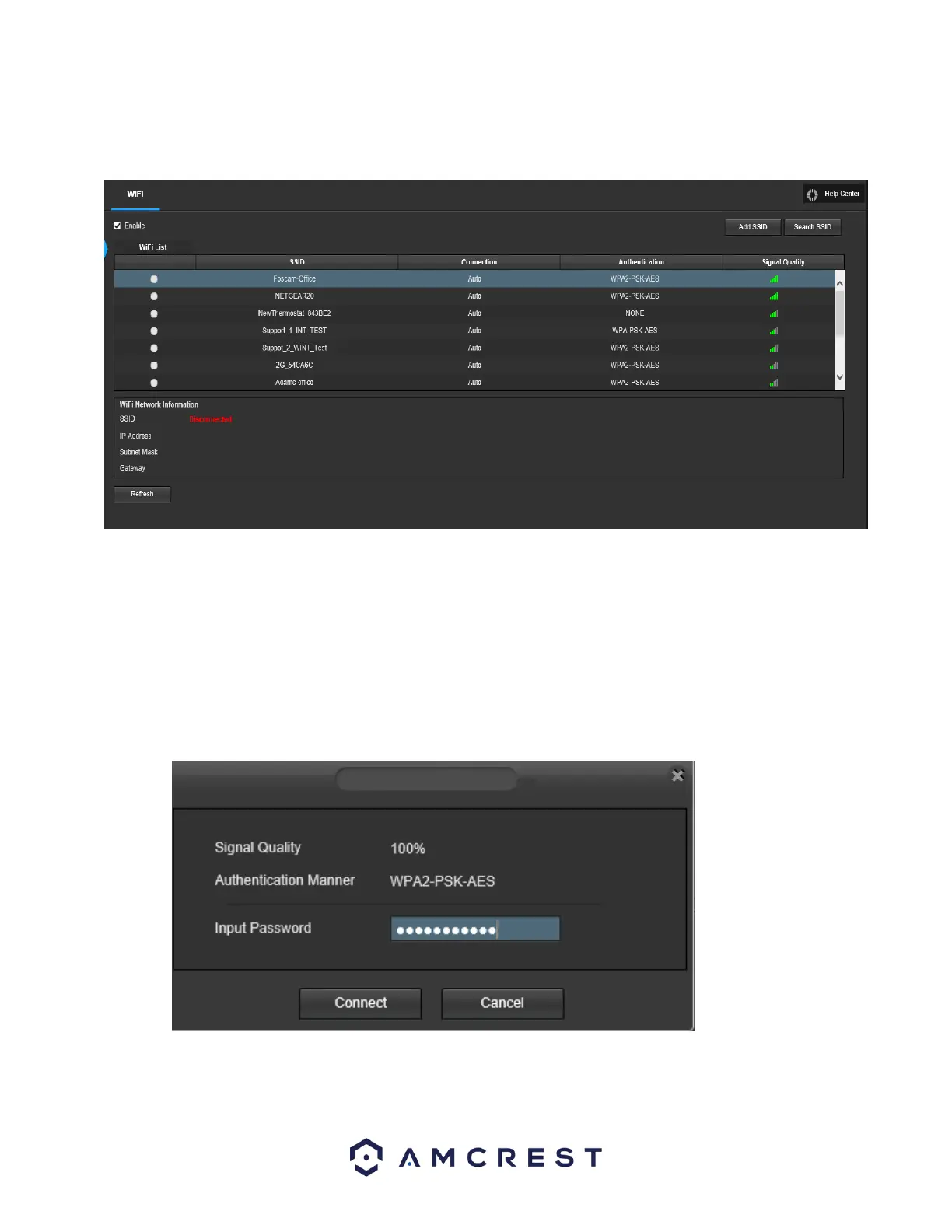
The WiFi feature on this camera allows it to connect to a network wirelessly. Below is a screenshot of
the WiFi tab on the WiFi menu:
Below is an explanation of the fields on the WiFi tab of the WiFi menu:
● Enable: This checkbox allows the user to enable WiFi functionality.
● Add SSID: This button allows the user to manually enter in an SSID.
● Search SSID: This button allows the user to search for more SSIDs.
● Refresh: This button obtains the most recent WiFi network information.
To connect to a WiFi network, click the line item for your WiFi network and enter the WiFi password.
Click on Connect to connect the camera to your WiFi network.















 To Next Page