41
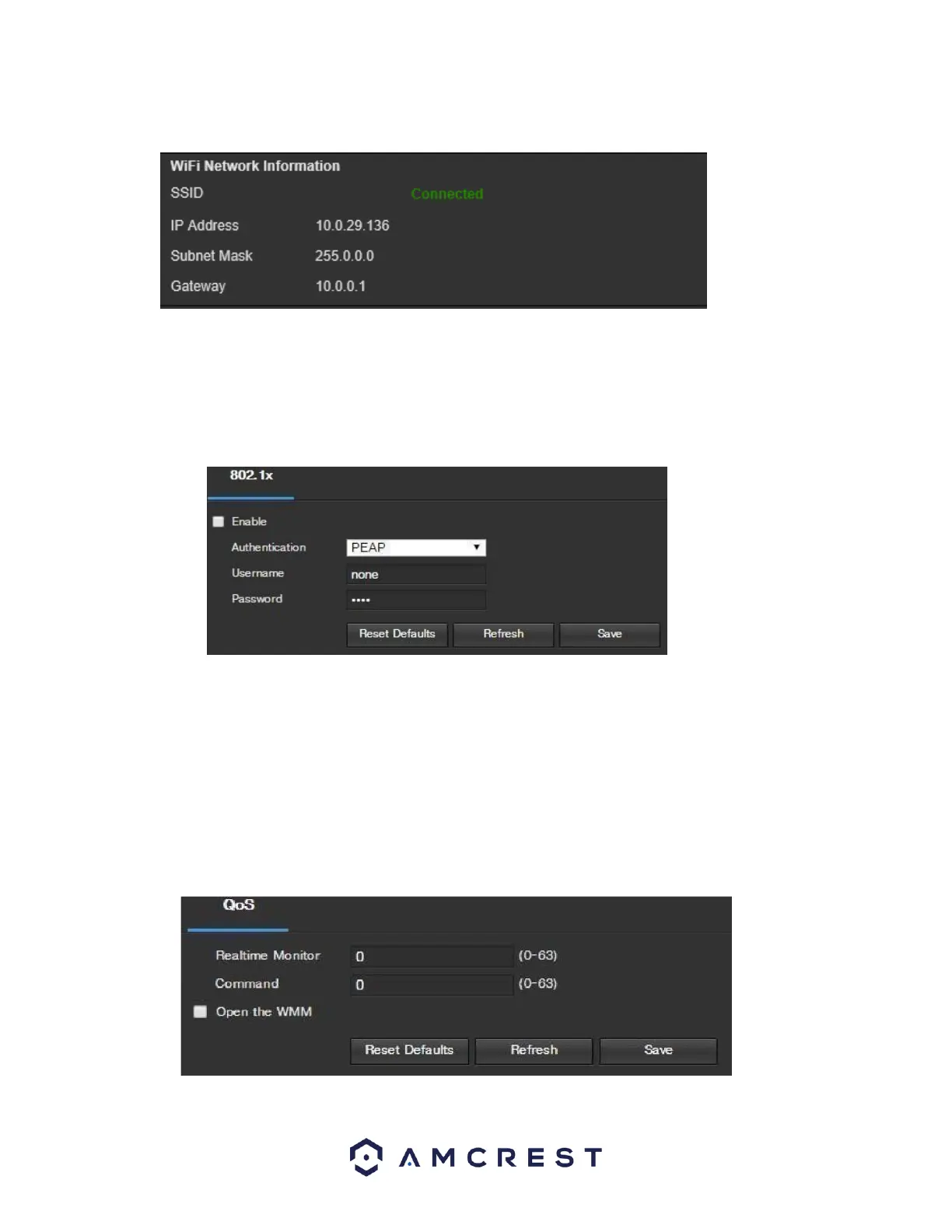
Allow the device to connect to your WiFi network. Once complete, the SSID field will show a green
Connected prompt:
The WiFi camera will now be connected to your WiFi network. You can now remove the Ethernet cable
from the device. Please note, the IP address listed in the WiFi Network Information menu will be the
IP address used to access your camera wirelessly.
5.4.2.11. 802.1x
802.1x is an authentication method for connecting to a network. Below is a screenshot of the 802.1x screen:
To enable 802.1x, click the checkbox next to Enable. An authentication method can be chosen from the dropdown
box, and a username and password can be entered in their respective fields.
To reset to default settings, click the Reset Defaults button. To refresh the page, click the Refresh button. To
save the settings, click the Save button.
Note: This feature may not be available on all devices.
5.4.2.12. QoS
QoS stands for Quality of Service and it refers to the overall performance of a computer network, particularly the
performance seen by the users of the network. Below is a screenshot of the QoS screen:















 To Next Page