52
• Remote Directory: This field allows the user to specify a remote directory on the FTP to send the
recorded media to.
To reset to default settings, click the Reset Defaults button. To refresh the page, click the Refresh button. To
save the settings, click the Save button.
5.4.4.2.4 NAS
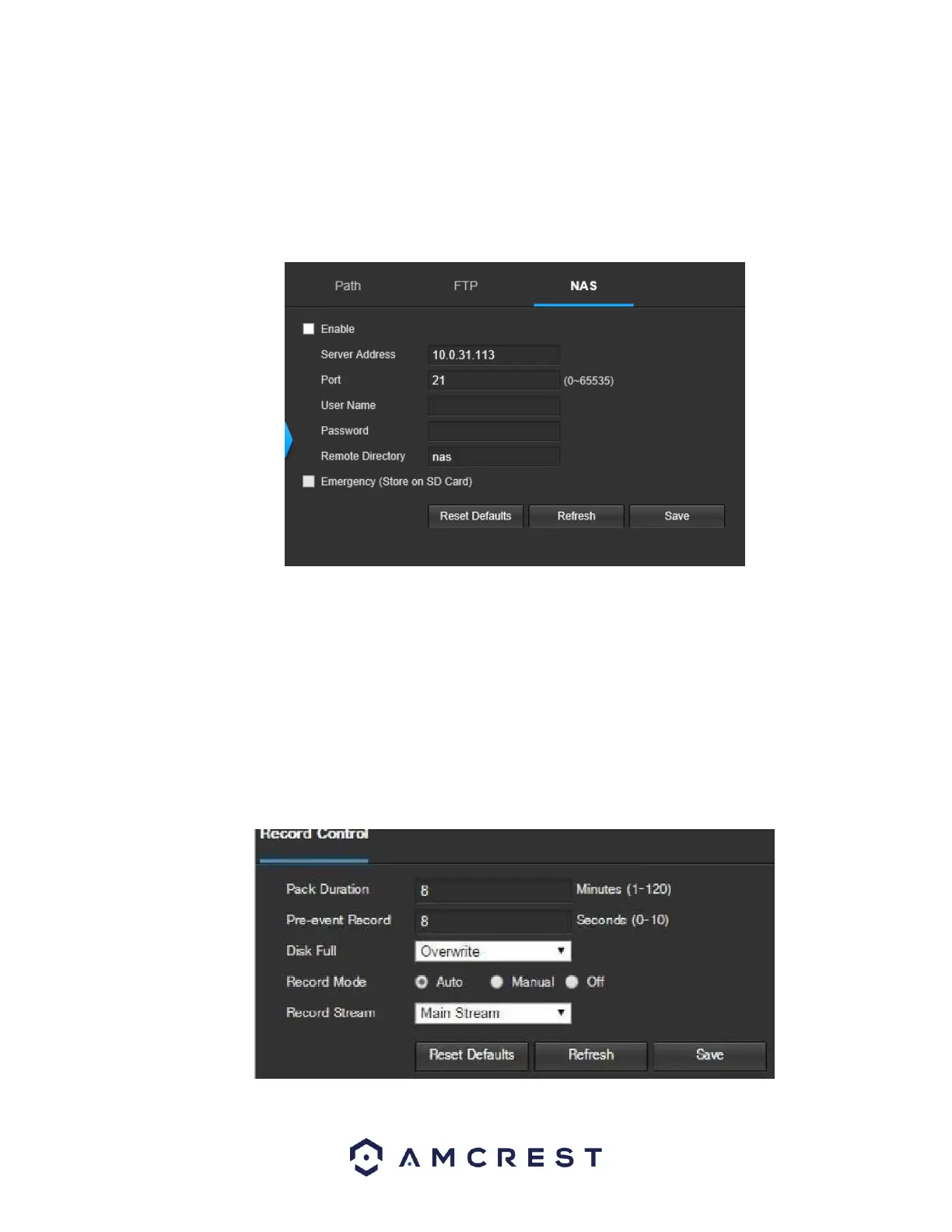
This tab is where the user can change NAS settings. Below is a screenshot of the NAS tab:
Below is an explanation of the fields on the NAS settings tab:
• Enable: This checkbox allows the user to enable NAS uploading for the camera’s recorded media. •
Server Address: This field allows the user to designate a DDNS address for the NAS server/device.
• Remote Directory: This field allows the user to specify a remote directory on the NAS to send the
recorded media to.
To reset to default settings, click the Reset Defaults button. To refresh the page, click the Refresh button. To save the settings,
click the Save button.
5.4.4.3 Record Control
This menu is where general recording settings are configured. Below is a screenshot of the record control menu:















 To Next Page