M O D E L 2 1
O P E R A T
I O N M A N U A L
11
1111
11
5.0 MAINTENENCE INSTRUCTIONS
5.1 ELE
CTRODE
ELECTRODE ELECTRODE
ELECTRODE REPLACEMENT PROCEDURE
REPLACEMENT PROCEDUREREPLACEMENT PROCEDURE
REPLACEMENT PROCEDURE
1. Set power supply to TEST mode.
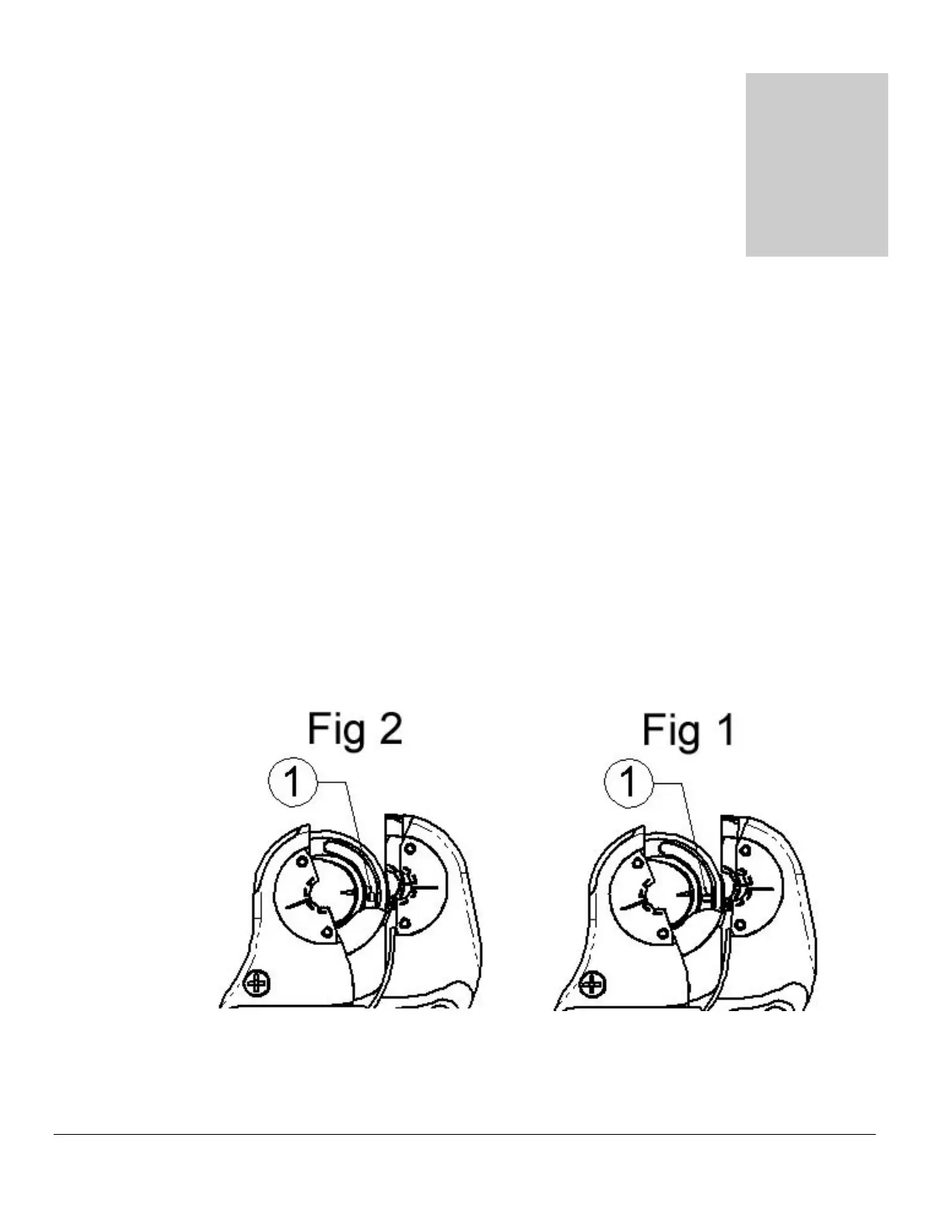
2. Use commands from power supply to JOG rotor to the position shown below.
3. Turn electrode retaining cam, on rotor, counter-clockwise until slot is aligned with
electrode (Fig 1, Item ①).
4. Carefully remove electrode, use hemostats from tool kit if necessary.
5. Install new electrode, use hemostats from tool kit if necessary.
6. Check that electrode is bottomed out in rotor.
7. Turn electrode retaining cam clockwise to lock in electrode (Fig 2, Item ①).
8. Verify that the power supply is in TEST mode.
9. Use commands from power supply to return rotor to home position.



 To Next Page