82 ARX 23-2 T4i, ARX 26-2 T4i
1/4
2/4
1
3/4
9V
15V
13V
21
B1
11V
1/4
2/4
1
3/4
9V
15V
13V
B2
11V
tEMP
B
13
12
2.7 Machine operation and use
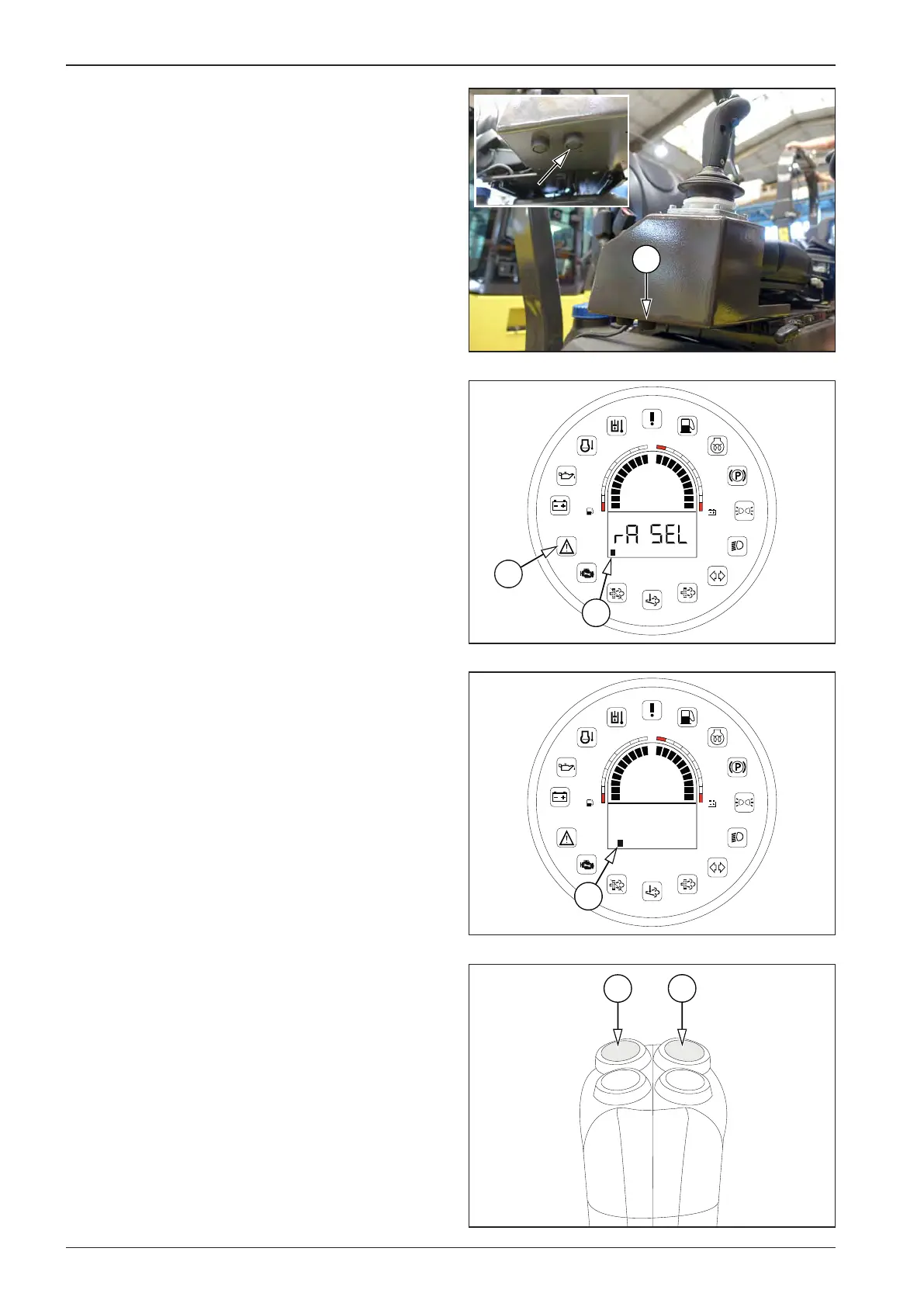
After 5 seconds, the display shows B1 and, at the same time, the
error message indicator lamp (21) starts ashing.
Using the Select button (13), scroll to the B2 tab ( Fahrenheit/
Celsius temperature unit selection) and press OK (12) to conrm.
Use the Select button (13) to set the desired unit and press OK
(12) to conrm.








 To Next Page