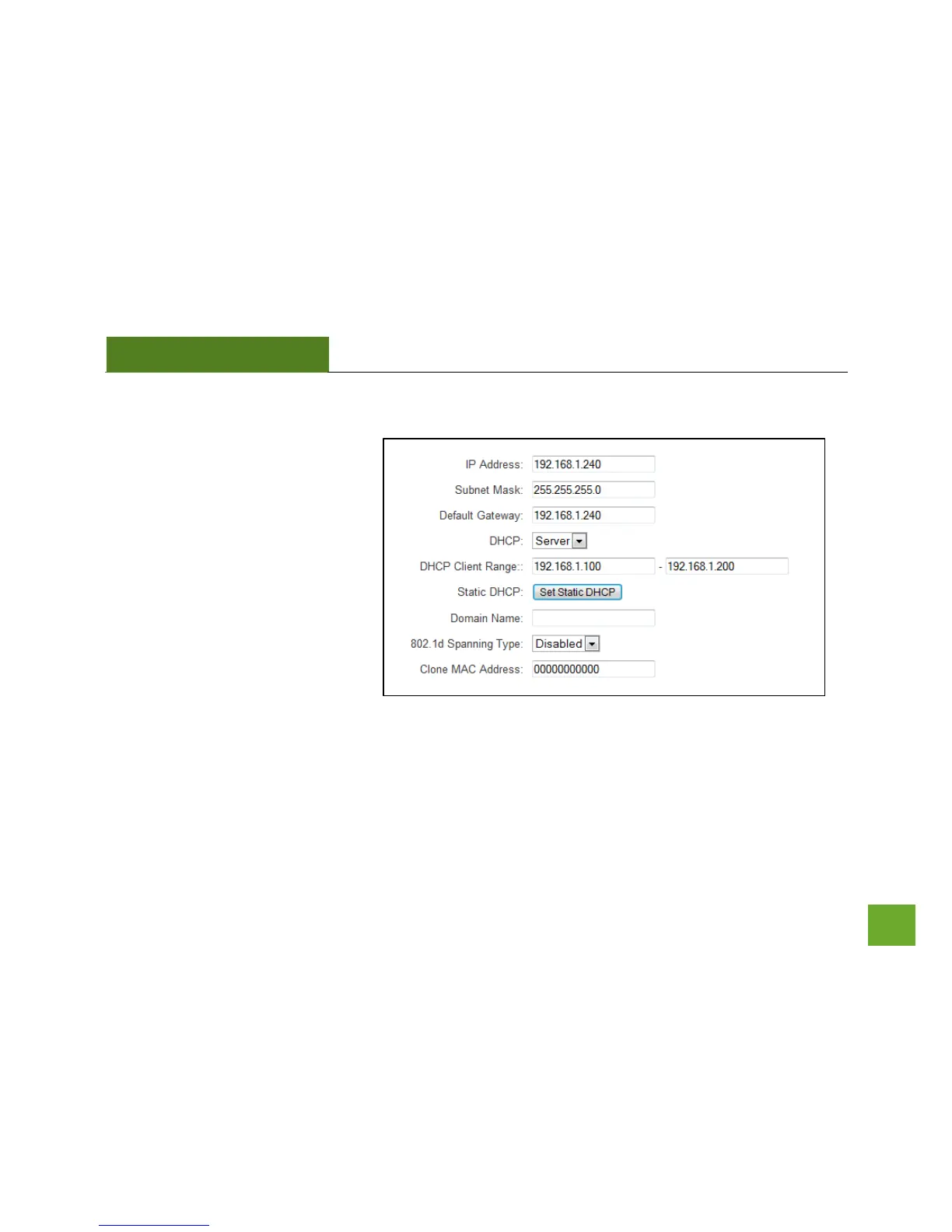
IP SETTINGS
IP Address: The IP address of the
Smart Access Point
Subnet Mask: The subnet of the
Smart Access Point
Default Gateway: The access point to
another network, normally the Smart
Access Point or your router.
DHCP: The Smart Access Point
includes a ‘Smart’ AUTO DHCP feature
to help manage the IP addresses within your wireless network and with your router. When the Smart Access
Point is connected to your home network/router thought the ‘Network’ port the AUTO DHCP will determine
whether it can receive an IP address from your router. If it can it will automatically switch to a client and allow
your router to assign it an IP address. However, when there is no connection available, the Access Point will



 To Next Page